How Test Cases and Test Coverage Work
Software applications are rarely considered complete simply because the code runs. Developers also need to determine whether the software behaves correctly, handles unexpected situations, and continues working as the application changes.
Two important concepts help with this process: test cases and test coverage.
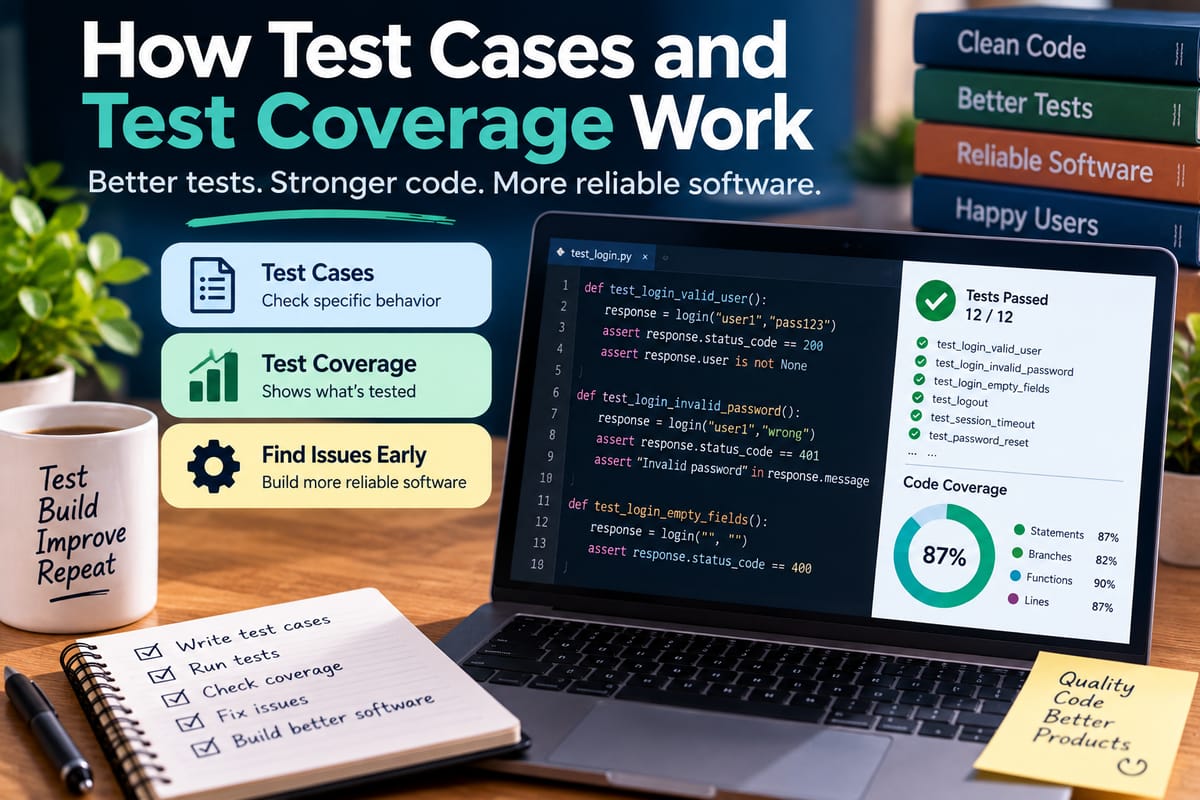
A test case describes a specific situation that developers or automated testing systems use to check whether software behaves as expected. Test coverage measures how much of the software or its behavior is exercised by a collection of tests.
Although the two concepts are closely related, they answer different questions.
A test case asks:
What specific behavior are we checking?
Test coverage asks:
How much of the software are our tests actually checking?
Understanding both concepts helps development teams create more systematic testing strategies, identify gaps, and reduce the risk that important software behavior goes untested.
What Is a Test Case?
A test case is a defined set of conditions, inputs, actions, and expected results used to verify a particular software behavior.
For example, consider a login system.
A simple test case might be:
Test case: User logs in with valid credentials.
Input:
- Valid username
- Correct password
Expected result:
- User is authenticated
- User is redirected to the account page
Another test case might check what happens when the password is incorrect.
Input:
- Valid username
- Incorrect password
Expected result:
- Authentication fails
- An appropriate error message is displayed
- The user remains unauthenticated
Each test examines a particular scenario.
The Basic Parts of a Test Case
A test case can contain several components.
Test Case ID
A unique identifier makes it easier to reference a test.
For example:
LOGIN-001
Description
The description explains what behavior the test is intended to verify.
Verify that users can log in with valid credentials.
Preconditions
These are conditions that must exist before the test begins.
For example:
A registered user account exists.
Inputs
The test defines the data or actions used during execution.
Username: valid-user
Password: correct-password
Steps
The steps describe what the tester or automated system should do.
1. Open the login page.
2. Enter the username.
3. Enter the password.
4. Select Log In.
Expected Result
This describes what should happen if the software is working correctly.
The user is authenticated and redirected to the dashboard.
Actual Result
After the test runs, the observed behavior can be recorded.
If the expected and actual results differ, the test has identified a potential defect.
A Simple Test Case Example
Imagine an online shopping application with a shopping cart.
A test case might look like this:
| Field | Example |
|---|---|
| Test ID | CART-001 |
| Description | Add a product to the cart |
| Preconditions | Product is available |
| Action | Select "Add to Cart" |
| Expected result | Product appears in the cart |
| Actual result | Product appears in the cart |
| Status | Pass |
A second test could check what happens when an unavailable product is selected.
This demonstrates an important principle: testing is not only about confirming that normal operations work. It also involves examining situations where the application must respond appropriately to unusual or invalid conditions.
Positive and Negative Test Cases
Test cases are often designed around both expected and unexpected inputs.
Positive Testing
Positive testing checks whether software works when valid inputs are provided.
Examples include:
- Correct login credentials
- Valid email addresses
- Valid payment information
- Supported file formats
- Correct product quantities
Negative Testing
Negative testing checks how software responds to invalid or unexpected conditions.
Examples include:
- Incorrect passwords
- Empty required fields
- Invalid email addresses
- Unsupported file types
- Negative quantities
- Missing data
Negative tests are important because real users do not always interact with software exactly as developers expect.
Boundary Test Cases
Some bugs occur at the edges of allowed values.
Suppose an application accepts an age between 18 and 65.
Useful test cases might check:
- 17
- 18
- 19
- 64
- 65
- 66
These tests examine the boundaries around the accepted range.
Boundary testing can reveal errors caused by incorrect comparison operators or assumptions about whether limits are inclusive or exclusive.
Test Cases for Different Scenarios
A strong test collection should cover more than the most obvious path through an application.
For a registration form, test cases might include:
- Valid registration
- Missing name
- Missing email
- Invalid email
- Weak password
- Existing email address
- Extremely long input
- Unsupported characters
- Network interruption
- Server error
The exact number of tests depends on the complexity and risk of the feature.
What Is Test Coverage?
Test coverage is a measurement of how much of an application's code, functionality, requirements, or behavior is exercised by tests.
Coverage can be measured in different ways.
A development team might ask:
- Which lines of code were executed?
- Which functions were called?
- Which branches were tested?
- Which requirements have associated tests?
- Which user workflows were tested?
- Which important features have no tests?
This makes test coverage broader than simply counting test cases.
A project could have hundreds of tests but still leave important parts of the software untested.
Why Test Coverage Matters
Software can contain many different execution paths.
Consider a function with several conditions:
if user_is_authenticated:
if account_is_active:
process_request()
else:
reject_request()
else:
request_login()
A single test might confirm that an authenticated, active user can process a request.
But that test does not necessarily exercise the other paths.
Additional tests may be needed for:
- Authenticated + active account
- Authenticated + inactive account
- Unauthenticated user
Test coverage helps developers identify which paths have actually been exercised.
Test Cases and Test Coverage Are Different
The distinction can be summarized simply:
| Test Cases | Test Coverage |
|---|---|
| Define individual tests | Measures what tests exercise |
| Focus on specific scenarios | Focuses on breadth of testing |
| Describe inputs and expected results | Identifies tested and untested areas |
| Can be manually or automatically executed | Can be calculated or assessed in different ways |
| Help verify requirements and behavior | Helps identify testing gaps |
A test case is an individual unit of testing.
Coverage is an indicator of how extensively the test collection exercises the software.
Code Coverage
One of the most common forms of automated test coverage is code coverage.
Code coverage measures which portions of source code are executed when tests run.
Common forms include:
- Statement coverage
- Line coverage
- Function coverage
- Branch coverage
- Condition coverage
Each measures something slightly different.
Statement or Line Coverage
This measures whether individual lines or statements were executed during testing.
For example:
def calculate_total(price, tax):
subtotal = price
total = subtotal + tax
return total
If a test calls the function, all three statements may be executed.
The resulting line coverage for this small function could therefore be 100%.
But high line coverage does not automatically mean the function has been thoroughly tested.
Function Coverage
Function coverage measures whether functions or methods have been executed during testing.
Suppose an application contains:
login()
logout()
create_account()
delete_account()
If tests call only login() and logout(), the other functions remain untested.
Function coverage can make that gap visible.
Branch Coverage
Branch coverage examines different decision paths in code.
Consider:
if balance >= amount:
approve_transaction()
else:
reject_transaction()
A test that uses a sufficient balance exercises the first branch.
A second test using an insufficient balance exercises the other branch.
To fully exercise this decision, tests should cover both outcomes.
Branch coverage can therefore reveal gaps that simple line coverage may not highlight.
Condition Coverage
A more complicated decision may contain multiple conditions.
For example:
if account_active and balance_available:
approve_transaction()
Tests may need to examine different combinations of those conditions.
Possible scenarios include:
| Account Active | Balance Available | Expected Result |
|---|---|---|
| Yes | Yes | Approve |
| Yes | No | Reject |
| No | Yes | Reject |
| No | No | Reject |
The appropriate coverage strategy depends on the importance and complexity of the logic.
Requirements Coverage
Not all coverage needs to be based on source code.
Requirements coverage examines whether defined software requirements have corresponding tests.
Suppose an application has these requirements:
- Users can create accounts.
- Users can reset passwords.
- Users can update profile information.
- Administrators can disable accounts.
A requirements coverage matrix could connect each requirement with one or more test cases.
This helps answer an important question:
Have we tested what the software is actually supposed to do?
A system can have high code coverage while still failing to test an important business requirement.
User-Story Coverage
Development teams using Agile methods may organize testing around user stories.
For example:
As a customer, I want to reset my password so that I can regain access to my account.
Test cases could cover:
- Valid reset request
- Unknown email address
- Expired reset link
- Already-used reset link
- Weak replacement password
- Successful password change
This connects testing directly to user-facing functionality.
Test Coverage Does Not Equal Software Quality
A high coverage percentage can be useful, but it should not be treated as proof that software is high quality.
Imagine a project reports 95% line coverage.
That sounds extensive.
However, the tests might only verify that functions execute without checking whether they produce the correct results.
For example:
result = calculate_total(100, 20)
A test that executes the function but never checks the returned value may contribute to code coverage without meaningfully verifying correctness.
This is why coverage should be treated as an indicator rather than a complete definition of quality.
The broader relationship between testing and software quality is explored in What Is Software Testing and How Do Developers Ensure Software Quality?.
High Coverage Can Still Miss Important Bugs
Coverage tools generally tell developers what code was executed.
They do not necessarily tell developers whether the right behavior was expected.
Consider:
def calculate_discount(price):
return price * 0.9
A test can execute this function and achieve full line coverage.
But if the actual business requirement is to apply a 10% discount only when the purchase exceeds $100, the test might still be inadequate.
The code executed successfully.
The business rule was not properly verified.
This is why developers need carefully designed test cases in addition to coverage measurements.
Low Coverage Can Reveal Testing Gaps
Low coverage can be useful because it identifies areas that tests are not reaching.
Suppose a project's coverage report shows that an important payment-processing module has only 35% branch coverage.
That does not prove the payment system is defective.
It does indicate that many possible code paths are not being exercised by the current tests.
Developers can then investigate whether additional tests are appropriate.
How Test Cases Increase Coverage
Adding well-designed test cases can increase coverage by exercising previously untested paths.
For example, consider:
if amount > 1000:
apply_discount()
else:
apply_standard_price()
If existing tests use only amounts below $1,000, the discount branch may never execute.
Adding a test with an amount above $1,000 exercises the missing branch.
The important point is that developers should add tests for meaningful behavior rather than simply trying to increase a numerical coverage percentage.
Unit Tests and Test Cases
Unit tests are small tests that typically focus on individual functions, methods, or components.
For example:
def add(a, b):
return a + b
Possible test cases include:
add(2, 3) → 5
add(0, 5) → 5
add(-2, 3) → 1
add(100, 200) → 300
Each test checks a particular input and expected result.
A collection of unit tests can provide coverage across the function's expected behavior.
Integration Tests
Integration tests examine interactions between software components.
For example, an application might need to:
Receive request → Validate data → Save to database → Return response
A unit test might test the validation function by itself.
An integration test could verify that the application correctly validates data and then stores it in the database.
Integration tests can therefore cover behavior that cannot be adequately verified by isolated unit tests.
End-to-End Tests
End-to-end tests examine complete workflows from the user's perspective.
For an online store, an end-to-end test might involve:
- Open the website.
- Search for a product.
- Add the product to the cart.
- Enter shipping information.
- Select a payment method.
- Complete the purchase.
- Verify the order confirmation.
This type of test exercises many components at once.
End-to-end tests can provide valuable coverage of important user workflows, although they can be slower and more complex to maintain than unit tests.
Manual and Automated Test Cases
Test cases can be executed manually or automatically.
Manual Tests
A tester follows defined steps and records the outcome.
Manual testing can be useful for:
- Exploratory testing
- User-interface evaluation
- Usability checks
- Visual behavior
- Unusual workflows
Automated Tests
Software executes predefined tests automatically.
Automated tests are particularly useful for repetitive checks.
For example, a test suite might execute thousands of unit tests whenever developers submit new code.
Automation makes it easier to run the same checks repeatedly as the application evolves.
Regression Testing
Software changes can accidentally break functionality that previously worked.
Regression testing involves rerunning tests to determine whether existing behavior has been affected by new changes.
Suppose developers modify the checkout system.
Regression tests might verify:
- Product selection
- Shopping cart calculations
- Discounts
- Shipping costs
- Payment processing
- Order creation
- Confirmation emails
This helps detect unintended consequences of code changes.
The broader software development process includes testing, debugging, maintenance, and other activities that work together to keep applications dependable. The Complete Guide to Software Development Processes provides a broader view of how these activities fit into the software lifecycle.
Test Coverage in Continuous Integration
Modern development teams often run automated tests whenever code changes are submitted.
A continuous integration system can:
- Detect a new code change.
- Build the application.
- Run automated tests.
- Calculate coverage.
- Report failures.
- Alert developers when expected standards are not met.
This allows testing to become part of the regular development workflow rather than a separate activity performed only before a release.
Coverage Thresholds
Some projects establish minimum coverage thresholds.
For example, a team might require:
Line coverage: 80%
Branch coverage: 70%
If a new change causes coverage to fall below the required threshold, the development pipeline may flag the change.
Thresholds can encourage consistent testing, but they should not become the only objective.
A developer could potentially increase coverage by writing large numbers of shallow tests that provide little meaningful protection.
Testing Edge Cases
Good test cases often examine situations that developers might initially overlook.
For a shopping cart, edge cases might include:
- Zero items
- One item
- Maximum allowed quantity
- Quantity above the limit
- Very expensive item
- Free item
- Discounted item
- Expired discount
- Out-of-stock item
- Network interruption
Edge-case testing can reveal problems that ordinary "happy path" tests fail to find.
Testing Error Handling
A strong test strategy should also verify how software behaves when something goes wrong.
For example, what happens if:
- A database becomes unavailable?
- An API returns an error?
- A file cannot be opened?
- A user enters invalid data?
- A network connection is interrupted?
- A required service times out?
The expected result might not be complete success.
Instead, the software may be expected to fail safely, display an appropriate message, retry an operation, or preserve important data.
Test Cases Should Reflect Risk
Not every part of an application requires exactly the same level of testing.
A minor formatting function may have relatively low consequences if it fails.
A payment-processing function can have much greater consequences.
Risk-based testing prioritizes areas based on factors such as:
- Financial impact
- Security implications
- Customer impact
- Business importance
- Complexity
- Frequency of use
- History of defects
This helps development teams direct testing effort toward areas where failures matter most.
Maintaining Test Cases Over Time
Test cases can become outdated as software changes.
A feature may be redesigned, a requirement may change, or an API may be replaced.
When that happens, associated tests may need to be:
- Updated
- Rewritten
- Combined
- Removed
- Expanded
Outdated tests can create problems.
A test might fail even though the new behavior is correct, or it might continue passing while no longer testing the behavior that matters.
Maintaining tests is therefore part of maintaining the software itself.
The Relationship Between Test Cases, Coverage, and Debugging
Testing and debugging have different purposes.
Testing attempts to identify whether software behaves correctly under specified conditions.
Debugging investigates why software behaves incorrectly and helps developers locate and fix the underlying problem.
When a test fails, developers often move into the debugging process.
For example:
Test case: Customer receives a 10% discount when eligible.
Expected: $90 final price for a $100 item.
Actual: $100.
The test identifies the failure.
The developer then investigates the code, configuration, or data responsible for the incorrect calculation.
The What Debugging Is and How Developers Find, Diagnose and Fix Software Problems guide provides more context on how developers investigate and resolve software problems.
A Practical Example
Imagine an application that calculates shipping costs.
The rule is:
- Orders under $50 pay $10 shipping.
- Orders from $50 to $99.99 pay $5.
- Orders of $100 or more receive free shipping.
A strong test collection might include:
| Order Value | Expected Shipping |
|---|---|
| $0 | $10 |
| $25 | $10 |
| $49.99 | $10 |
| $50 | $5 |
| $75 | $5 |
| $99.99 | $5 |
| $100 | $0 |
| $150 | $0 |
These tests examine the major ranges and their boundaries.
If the developer accidentally writes:
if total > 50:
shipping = 5
the test for exactly $50 would fail.
That single boundary test could expose a subtle business-rule error.
Coverage Reports Can Guide Test Development
Coverage reports can help developers decide where additional tests may be useful.
A report might show:
checkout.py 92%
payments.py 96%
shipping.py 61%
discounts.py 45%
The lower percentages in shipping and discounts could prompt developers to investigate whether important behavior remains untested.
However, the numbers should be interpreted alongside the importance and complexity of each module.
A 95% coverage figure does not automatically mean that every important scenario is tested.
What Makes a Good Test Case?
A useful test case is generally:
- Clear
- Specific
- Repeatable
- Relevant
- Easy to understand
- Connected to an expected behavior
- Independent where practical
- Maintained as requirements change
Good tests should make it clear what failed and why the failure matters.
A test that fails with an obvious description is generally more useful than one that simply reports that some assertion failed somewhere in a large workflow.
Common Mistakes With Test Coverage
Treating 100% Coverage as Proof of Quality
Complete line coverage does not guarantee complete behavioral coverage.
Writing Tests Only for Successful Scenarios
Invalid inputs and failure conditions also need attention.
Ignoring Boundaries
Values at the edges of accepted ranges can reveal subtle bugs.
Measuring Only Code Coverage
Requirements and user workflows may need separate coverage analysis.
Creating Tests Solely to Increase the Percentage
Coverage should support meaningful testing rather than become a target disconnected from software quality.
Allowing Tests to Become Outdated
Tests should evolve with the application.
Improving a Test Strategy
A practical test strategy can combine several approaches.
Start With Requirements
Identify what the software is expected to do.
Identify Important Scenarios
Determine the normal, invalid, boundary, and failure cases.
Create Test Cases
Define inputs, actions, and expected results.
Automate Repeatable Tests
Automate tests that need to run frequently.
Measure Coverage
Use coverage information to identify areas that may need additional testing.
Investigate Failures
Use debugging techniques to determine the cause of failed tests.
Review Results
Compare testing outcomes with requirements and risk.
Maintain the Test Suite
Update tests when software behavior changes.
Why Coverage Should Be Interpreted in Context
A coverage number without context can be misleading.
Consider two applications.
Application A has 95% line coverage but does not test an important payment failure scenario.
Application B has 80% line coverage but thoroughly tests its most important financial and security workflows.
The percentages alone do not tell the complete story.
The goal of testing is not simply to maximize a metric.
The goal is to provide meaningful evidence that important software behavior works as intended.
How Test Cases Support Reliable Software
Reliable software needs more than code that works under ideal conditions.
It should also behave predictably when users provide unexpected input, external services fail, data is missing, or system conditions change.
Test cases give developers a repeatable way to examine those situations.
Coverage then helps reveal how broadly the test suite exercises the application.
Together, they provide complementary information:
Test cases provide specific checks.
Coverage provides visibility into testing breadth.
Neither replaces careful engineering, code review, monitoring, security practices, or real-world feedback.
Building a Balanced Testing Approach
A balanced testing approach usually combines different types of tests rather than relying on one measurement.
A development team might use:
- Unit tests for individual functions
- Integration tests for component interactions
- End-to-end tests for important user workflows
- Regression tests for previously working functionality
- Negative tests for invalid inputs
- Boundary tests for limits
- Performance tests for demanding conditions
- Security tests for sensitive operations
- Manual exploratory tests for unexpected behavior
The appropriate combination depends on the software and its risks.
The objective is to create confidence that the application behaves correctly in the situations that matter.
Connecting Testing With Software Reliability
Software reliability is closely connected to how consistently an application performs its intended functions under expected conditions.
Testing contributes to that reliability by identifying defects before they cause problems for users.
However, reliability also depends on other factors, including:
- Software architecture
- Infrastructure
- Error handling
- Monitoring
- Security
- Deployment practices
- Maintenance
- Data quality
- Operational processes
The broader topic is explored in What Makes Software Reliable and Usable?, which examines the factors that influence how dependable and practical software is for its users.
Turning Test Data Into Better Software
Test cases and test coverage work best when they are treated as complementary tools.
A test case defines a specific behavior to verify. A collection of test cases can then exercise different inputs, conditions, branches, requirements, and user workflows. Coverage measurements help developers see which portions of the software are being exercised and where potential gaps remain.
The most effective approach is not necessarily to chase the highest possible coverage number. Instead, development teams can use coverage information alongside requirements, risk, user behavior, and software complexity to decide where additional testing provides meaningful value.
When carefully designed test cases are combined with useful coverage measurements, regular regression testing, and effective debugging, testing becomes an ongoing part of software development rather than a final checkpoint before release. That gives developers a repeatable way to discover problems, verify changes, and build greater confidence in how their applications behave.