How to Identify Software Requirements Before Choosing an Application
Choosing software can seem straightforward. A business needs a project management platform, a student needs a note-taking application, or a household needs a budgeting tool, so the natural reaction is to start comparing products.
That approach can create problems.
Software may have impressive features, attractive interfaces, and strong reviews while still being a poor fit for the person or organization using it. The real challenge is not simply finding software with the most features. It is identifying what the software actually needs to accomplish before comparing available applications.
Understanding software requirements provides a practical foundation for making that decision. It helps users distinguish essential capabilities from optional features, identify technical limitations, estimate costs, and avoid purchasing software that creates more work than it solves.
What Are Software Requirements?
Software requirements describe what an application needs to do and the conditions it needs to satisfy.
They can range from simple functional requirements, such as creating invoices or storing customer information, to broader requirements involving security, performance, compatibility, accessibility, and scalability.
For example, someone looking for accounting software might require the application to:
- Track income and expenses
- Create invoices
- Generate financial reports
- Support multiple users
- Export data
- Connect with a bank or payment service
- Protect sensitive financial information
- Work on both desktop and mobile devices
These requirements provide a clearer basis for evaluating applications than simply looking at a list of advertised features.
Start With the Problem You Need to Solve
The first step is to describe the problem before thinking about software.
Instead of asking, "Which application should I buy?" ask:
"What problem am I trying to solve?"
A business struggling with scattered customer information might need a centralized customer relationship system. A team losing track of deadlines might need project management software. Someone repeatedly entering the same information into multiple systems might need an application with automation or integration capabilities.
Starting with the problem prevents software features from driving the decision.
Describe the Current Process
Write down how the task is currently completed.
Consider:
- Who performs the task?
- What information is involved?
- Which tools are currently used?
- Where do delays occur?
- What causes errors?
- Which tasks are repetitive?
- What information needs to be shared?
- What part of the process causes the most frustration?
This creates a picture of the actual workflow that software needs to support.
Separate Needs From Wants
One of the most important steps in identifying software requirements is distinguishing between must-have requirements and nice-to-have features.
A must-have requirement is something the application needs to provide for the software to be useful.
A nice-to-have feature could improve the experience but is not essential.
For example, a small business might require:
| Requirement | Priority |
|---|---|
| Invoice creation | Essential |
| Customer records | Essential |
| Tax reporting | Essential |
| Data export | Essential |
| Mobile application | Important |
| Custom dashboard colors | Optional |
| Advanced animations | Optional |
This distinction becomes especially valuable when comparing applications with very different feature lists.
A product with 100 features is not necessarily more suitable than one with 30 features if the smaller application handles the required tasks more effectively.
Identify Functional Requirements
Functional requirements describe what the software should actually do.
These requirements should be specific enough that you can determine whether an application supports them.
Instead of writing:
"The software should be easy to use."
A more useful requirement might be:
"A new employee should be able to create and submit an expense report without administrator assistance."
Other functional requirements might include:
- Creating and editing records
- Searching and filtering information
- Generating reports
- Sending notifications
- Processing payments
- Managing user accounts
- Importing and exporting information
- Automating repetitive tasks
- Sharing documents
- Tracking workflow stages
- Connecting with other applications
Understanding the broader landscape of software can also help users determine which category of application is appropriate. The different types of software applications and what they are used for can provide useful context when deciding what type of solution matches a particular problem.
Identify Non-Functional Requirements
Not every software requirement describes a feature.
Non-functional requirements describe how the software should operate.
These can include:
Performance
The application may need to respond quickly even when handling large amounts of information or many simultaneous users.
Security
The software may need encryption, access controls, authentication, audit logs, backups, or other security measures.
Reliability
Users may require the application to remain available consistently and recover effectively from failures.
Scalability
A small organization may have ten users today but expect to have hundreds in the future. The software should be evaluated according to that potential growth.
Compatibility
The application may need to work with particular operating systems, browsers, devices, databases, or existing business systems.
Accessibility
Some users may require keyboard navigation, screen-reader support, adjustable text, captions, or other accessibility features.
Maintainability
Organizations should also consider how easily the application can be updated, configured, supported, and maintained over time.
These requirements can have a major effect on whether a software product remains useful after the initial purchase.
Consider Who Will Use the Application
Software requirements should reflect the people who will actually use the application.
Different users can have very different expectations.
For example, an administrator might need detailed configuration controls, while an employee may need a simple interface for completing everyday tasks.
Identify:
- Primary users
- Occasional users
- Administrators
- Managers
- Customers or external users
- Technical staff
- Users working remotely
- Users accessing the software from mobile devices
For each group, consider what they need to accomplish.
This can reveal requirements that might otherwise be overlooked.
Map Requirements to Real Workflows
A feature list alone does not always explain whether software will work well in practice.
Workflow mapping connects requirements to real activities.
Suppose a company wants customer-support software. Instead of simply requiring "ticket management," it could map the process:
- A customer submits a request.
- The system creates a ticket.
- The ticket is assigned to an employee.
- The employee responds.
- The customer receives a notification.
- The issue is escalated if necessary.
- The ticket is resolved.
- The interaction is stored for future reference.
- Managers can review performance data.
The software must support the complete process, not merely one part of it.
Determine Integration Requirements
Many software applications do not operate independently.
They exchange information with other systems, which makes integration an important requirement.
Ask whether the new application needs to connect with:
- Email platforms
- Accounting systems
- Payment services
- Customer databases
- Cloud storage
- Calendars
- Communication tools
- E-commerce platforms
- Human resources systems
- Analytics tools
- Internal databases
Also determine how the integration needs to work.
An application might offer an official integration, an API, file imports and exports, or no practical connection at all.
A seemingly suitable application can become difficult to use if employees must repeatedly copy information between disconnected systems.
Think About Data Requirements
Before selecting software, determine what information the application needs to store, process, import, and export.
Consider:
- What data will be entered?
- Where does the data currently exist?
- How much data is involved?
- Who can access it?
- How long should it be retained?
- Does it need to be backed up?
- Can users export it?
- What file formats are required?
- What happens if the organization changes software later?
Data portability is particularly important.
An application may work well today, but users should understand whether their information can be retrieved if they eventually move to another system.
Establish Budget Requirements
Cost is more than the advertised subscription price.
Software expenses can include:
- Subscription fees
- Per-user charges
- Setup costs
- Implementation services
- Training
- Data migration
- Premium features
- Integration costs
- Support plans
- Hardware requirements
- Maintenance
- Storage
- Contract termination fees
A low-cost application can become expensive if it requires substantial customization or manual work.
Likewise, a more expensive product may provide capabilities that eliminate other costs.
The goal is therefore to understand the total cost of ownership, rather than focusing only on the initial price.
Define Technical Requirements
Technical requirements help eliminate applications that cannot operate effectively in the existing environment.
Check requirements involving:
- Operating systems
- Browsers
- Mobile devices
- Network connections
- Hardware
- Storage
- Cloud infrastructure
- Authentication systems
- Databases
- APIs
- Security systems
For organizations, technical requirements should also account for the existing technology environment.
An application that works perfectly in isolation may create compatibility problems when introduced into a complex technology ecosystem.
Consider Future Growth
Software should not only satisfy today's requirements.
Think about what could change over the next few years.
Ask:
- Will the number of users increase?
- Will data volumes grow?
- Will new locations be added?
- Will additional departments use the system?
- Will new integrations become necessary?
- Could the organization expand internationally?
- Will reporting requirements become more sophisticated?
This does not mean purchasing the largest possible software package.
Instead, it means avoiding an application that is likely to become unsuitable shortly after implementation.
Evaluate Usability as a Requirement
Usability should be treated as a practical requirement rather than an aesthetic preference.
A powerful application can still cause problems if users struggle to understand it.
Consider:
- How quickly can new users learn it?
- Are common tasks easy to find?
- Are workflows logical?
- Are instructions clear?
- Can users recover from mistakes?
- Does the interface work well on the devices people use?
- Can users complete important tasks without unnecessary steps?
A structured guide to evaluating software usability can help turn these questions into a more systematic assessment.
Identify Security and Privacy Requirements
Security requirements should be established before comparing applications, particularly when software will handle sensitive information.
Depending on the application, requirements may include:
- Multi-factor authentication
- Role-based permissions
- Encryption
- Secure backups
- Activity logging
- Data retention controls
- Account recovery
- Security notifications
- Administrative controls
Privacy requirements should also be considered.
Determine what information the application collects, where it is stored, who can access it, and whether the provider's data practices are compatible with the organization's obligations.
Decide What Support Is Required
Software support can become important after deployment.
Before selecting an application, determine whether users need:
- Email support
- Live chat
- Telephone support
- Documentation
- Training materials
- Community forums
- Dedicated account management
- Technical assistance
- Guaranteed response times
Different users have different support requirements.
A small individual user may be comfortable relying on documentation, while a business running critical operations may require formal support arrangements.
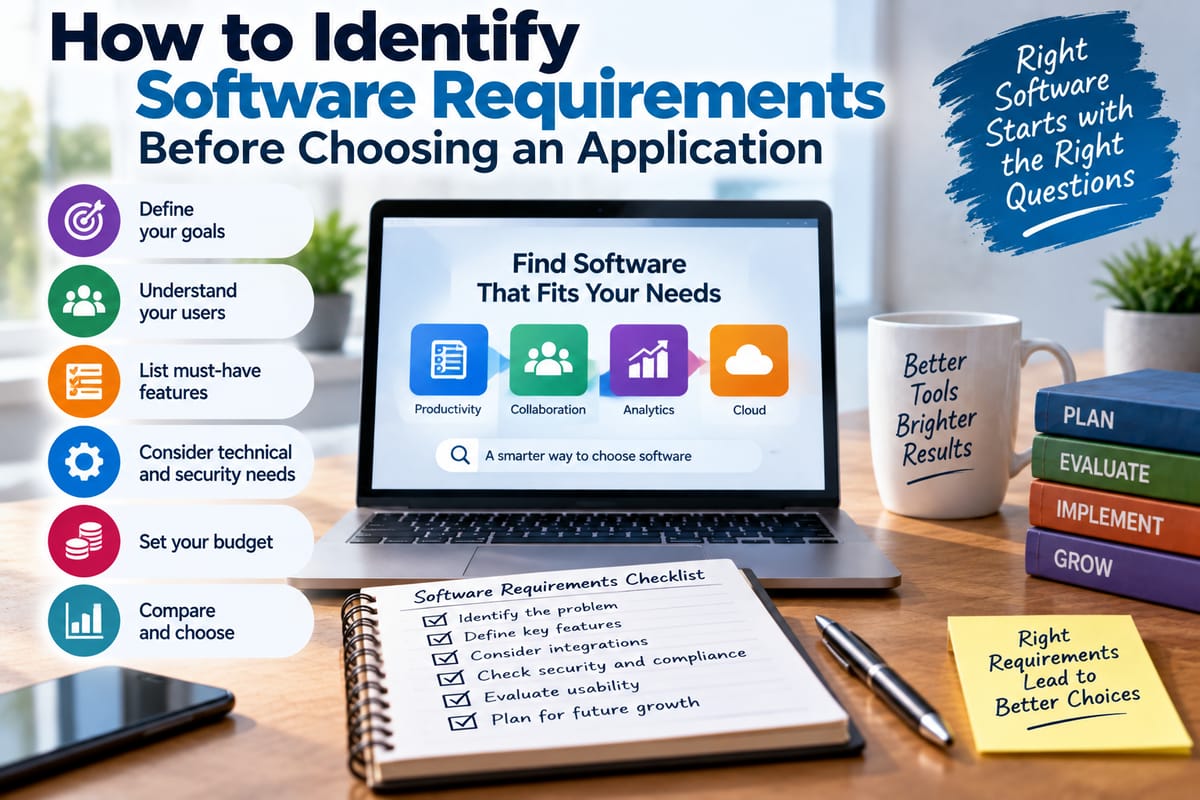
Turn Requirements Into a Checklist
Once the requirements have been identified, convert them into a structured checklist.
A useful format might look like this:
| Requirement | Priority | How to Verify |
|---|---|---|
| Create customer records | Essential | Product demonstration |
| Export data | Essential | Test export |
| Multi-user access | Essential | Documentation and trial |
| Mobile access | Important | Test on mobile |
| Accounting integration | Essential | Integration documentation |
| Automated reports | Important | Product demonstration |
| Custom branding | Optional | Feature comparison |
| Multi-factor authentication | Essential | Security documentation |
This checklist becomes the foundation for evaluating potential applications.
Give Requirements Different Priorities
Not every requirement deserves equal weight.
A simple priority system can make comparisons more meaningful:
- Essential: The application cannot be used effectively without it.
- Important: The application should ideally support it.
- Preferred: It would provide additional value.
- Optional: It has little influence on the final decision.
This prevents a visually impressive feature from receiving the same importance as a fundamental business requirement.
Test Requirements With a Trial
Whenever possible, test software before committing to a long-term purchase.
A trial should not simply involve clicking through menus.
Use realistic scenarios.
For example:
- Create a new account.
- Import representative information.
- Complete the most common task.
- Perform a more complicated task.
- Generate a report.
- Export information.
- Invite another user.
- Test permissions.
- Try the mobile version if relevant.
- Connect an important integration.
The objective is to determine whether the software performs the actual jobs it was selected to perform.
Involve the People Who Will Use It
Software decisions made by one person can overlook problems experienced by everyday users.
If several people will use the application, gather their requirements before making a final decision.
Ask users:
- What tasks take the most time?
- What causes mistakes?
- What information do you need?
- Which existing tools do you rely on?
- What would make your work easier?
- What would prevent you from adopting a new application?
Different departments may also have conflicting requirements.
For example, finance may prioritize reporting and controls, while sales may prioritize speed and mobile access. Identifying these differences early makes it easier to determine which requirements are truly essential.
Avoid Choosing Software Based Only on Features
Feature lists are useful, but they can be misleading.
Two applications may both advertise automation, reporting, integrations, and collaboration while providing those capabilities in very different ways.
One may automate a complete workflow, while another may only automate a small part of it.
One may offer detailed reporting, while another may provide only basic summaries.
This is why requirements should describe the desired outcome rather than merely copying terminology from software advertisements.
Compare Applications Against the Same Requirements
After creating the requirements checklist, use the same criteria for every candidate.
For example:
| Requirement | Application A | Application B | Application C |
|---|---|---|---|
| Core workflow | Meets | Meets | Partial |
| Data export | Meets | Meets | Meets |
| Required integration | Meets | Partial | Does not meet |
| Mobile access | Meets | Meets | Meets |
| Security controls | Meets | Meets | Partial |
| Scalability | Meets | Partial | Meets |
| Support requirements | Partial | Meets | Meets |
The purpose of this comparison is not to find the application with the longest feature list. It is to identify how each candidate aligns with the requirements that matter.
For a broader framework covering the selection process itself, see the guide on how to choose the right software for your needs.
Think About Implementation, Not Just Selection
Selecting software is only one stage of the process.
Implementation can involve:
- Data migration
- Configuration
- User accounts
- Permissions
- Integrations
- Training
- Testing
- Documentation
- Workflow changes
- Ongoing support
An application may satisfy the technical requirements but still require significant organizational preparation.
Understanding the broader software development processes can also help users understand why requirements, testing, deployment, maintenance, and user needs are connected throughout the software lifecycle.
Watch for Requirement Changes
Requirements can change as people learn more about the problem.
A trial might reveal that an apparently important feature is rarely needed. At the same time, testing may expose a previously overlooked requirement.
For that reason, requirements should be reviewed before signing a long-term contract or completing a major implementation.
Ask:
- Have all essential requirements been tested?
- Has each important user group participated?
- Are integration requirements confirmed?
- Are security requirements documented?
- Are costs understood?
- Is the migration process realistic?
- Can the software grow with future needs?
A Practical Requirement-First Approach
A reliable software-selection process can be summarized in a few stages:
1. Define the problem.
Identify what needs to improve.
2. Document the current workflow.
Understand how the work is performed today.
3. Identify functional requirements.
List what the software must actually do.
4. Identify non-functional requirements.
Consider security, performance, reliability, compatibility, accessibility, and scalability.
5. Identify users.
Understand the needs of everyone who will interact with the application.
6. Establish technical and integration requirements.
Determine how the application needs to fit into the existing environment.
7. Establish budget and support requirements.
Consider total ownership costs and the level of assistance users need.
8. Prioritize requirements.
Separate essential capabilities from desirable features.
9. Test candidate applications.
Use realistic workflows rather than relying solely on demonstrations or feature lists.
10. Compare applications against the same criteria.
Document where each candidate meets, partially meets, or fails to meet the requirements.
Why Requirements Should Come Before Software
The most important shift in software selection is moving from a product-first approach to a requirements-first approach.
Instead of beginning with a popular application and trying to determine how to use it, users first establish what they need the software to accomplish. Products can then be evaluated against those requirements.
That approach makes it easier to identify unsuitable applications, control unnecessary spending, involve users in the decision, and plan for future needs.
Most importantly, it changes the question from "Which software looks impressive?" to "Which software can reliably solve the problem we actually have?"