What Makes Software Reliable and Usable?
Software has become part of almost every aspect of modern life. People use applications to communicate, manage money, work, shop, study, create content, and control connected devices. Yet simply having a long list of features does not necessarily make software good.
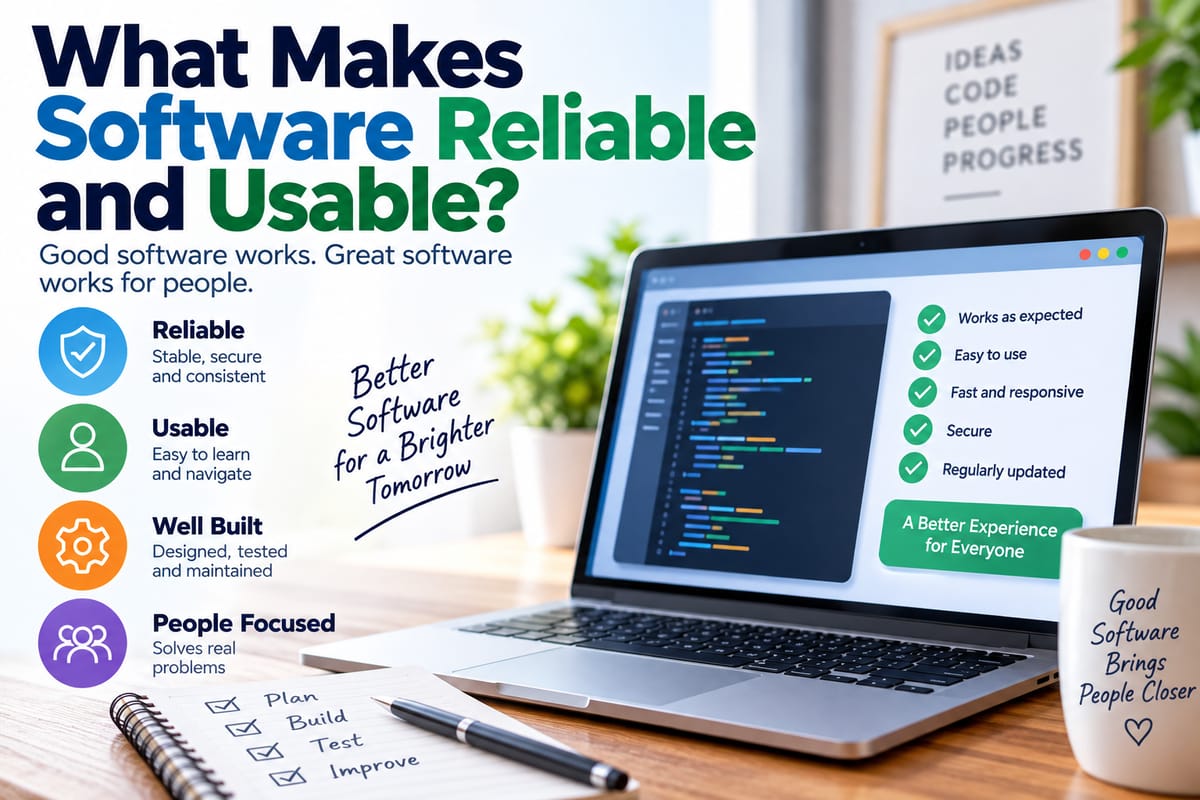
Reliable and usable software should perform its intended functions consistently while making those functions understandable and practical for the people who use them. When either side is neglected, even technically sophisticated software can become frustrating, inefficient, or difficult to trust.
Understanding what makes software reliable and usable helps explain why some applications feel dependable and intuitive while others frequently cause problems.
What Does Software Reliability Mean?
Software reliability refers to the ability of a software system to perform its required functions consistently under specified conditions.
Reliable software should produce expected results without frequent crashes, unexpected errors, data loss, or other failures. Reliability does not necessarily mean that software will never experience a problem. Instead, it means that failures are minimized, controlled, detected, and addressed effectively.
Several characteristics contribute to software reliability, including:
- Consistent performance
- Stable operation
- Accurate results
- Effective error handling
- Data integrity
- Security and protection against common failures
- Compatibility with supported environments
- Recovery mechanisms
- Regular maintenance and updates
Reliability becomes especially important when software handles information or activities that users cannot afford to lose or interrupt.
For example, a simple entertainment application may be inconvenient if it crashes. A business application that loses customer records or interrupts an important transaction can create much more serious consequences.
What Makes Software Usable?
Usability describes how easily people can understand, learn, navigate, and use software to accomplish their goals.
A usable application does not force users to understand how the underlying technology works. Instead, the interface and workflows help people figure out what to do and what will happen when they take an action.
Common characteristics of usable software include:
- Clear navigation
- Understandable labels
- Logical workflows
- Consistent interface elements
- Readable content
- Helpful feedback
- Predictable behavior
- Accessible controls
- Efficient task completion
- Clear error messages
Usability is therefore about more than appearance. An attractive application can still be difficult to use if important functions are hidden, instructions are confusing, or common tasks require too many unnecessary steps.
For a deeper look at this subject, the guide to evaluating software usability explains how developers and users can assess whether an application is practical and easy to navigate.
Reliability and Usability Work Together
Reliability and usability are closely connected, but they describe different qualities.
Reliable software may continue operating without crashing but still be difficult to understand. Usable software may have an excellent interface but fail frequently.
Consider a banking application with a clean design that occasionally displays incorrect account balances. Its interface may be easy to navigate, but the software is not reliable enough for users to trust.
The opposite situation is also possible. A system might operate correctly for years but require users to navigate complicated menus and obscure commands. It may be technically dependable while remaining frustrating to use.
The strongest software combines both qualities.
Reliability answers: “Does the software consistently work as expected?”
Usability answers: “Can people easily understand and use it to accomplish their goals?”
Clear and Well-Defined Requirements Matter
Reliable software starts long before programmers write code.
Development teams need to understand what the software is supposed to accomplish, who will use it, what environments it must support, and what constraints apply to the system.
Poorly defined requirements can create problems throughout development. If developers misunderstand what users need, the finished application may function according to its technical design while failing to solve the intended problem.
Requirements can cover areas such as:
- Functional capabilities
- Performance expectations
- Security requirements
- Supported devices and operating systems
- Data requirements
- Accessibility needs
- Reliability targets
- User workflows
A structured development process helps teams turn these requirements into working software. The Complete Guide to Software Development Processes provides broader context on how software moves through planning, development, testing, deployment, and maintenance.
Good Software Architecture Supports Reliability
The internal structure of software can have a major effect on its reliability.
Modern applications are often composed of multiple components that communicate with one another. These components may handle user interfaces, databases, authentication, payments, file storage, APIs, notifications, or other functions.
A well-designed architecture separates responsibilities and allows components to interact in predictable ways.
Good architecture can make it easier to:
- Identify problems
- Update individual components
- Scale systems as demand increases
- Protect sensitive operations
- Recover from failures
- Test different parts of an application
- Maintain the software over time
Poor architecture can create the opposite effect. A small change in one part of a tightly connected system may unexpectedly break another feature.
Understanding these relationships is easier when looking at how modern software works, including the interaction between applications, operating systems, databases, networks, and other components.
Consistent User Interfaces Improve Usability
People learn patterns quickly when using software.
For example, users generally expect buttons, menus, search functions, settings, and navigation controls to behave consistently. If similar functions look and behave differently throughout an application, users have to repeatedly relearn how the interface works.
Consistency can involve:
- Button placement
- Colors and visual hierarchy
- Terminology
- Navigation
- Icons
- Forms
- Notifications
- Error messages
- Keyboard shortcuts
Consistency reduces unnecessary mental effort. Once users understand one part of an application, they can transfer that knowledge to other parts.
Software Should Provide Clear Feedback
Users need to know what the software is doing.
When someone submits a form, uploads a file, saves a document, or completes a transaction, the application should provide appropriate feedback.
Without feedback, users may wonder whether their action worked. They might click the same button repeatedly, reload the page, or abandon the task.
Useful feedback can include:
- Confirmation messages
- Progress indicators
- Loading states
- Status notifications
- Visual changes
- Success messages
- Clear error messages
Feedback should also be proportional to the situation. A minor action might only need a small confirmation, while a long-running operation may require a visible progress indicator.
Error Handling Is Part of Software Quality
Every complex software system eventually encounters unexpected conditions.
Files may be missing. Networks may fail. Servers may become unavailable. Users may enter invalid information. External services may stop responding.
Reliable software anticipates these possibilities instead of assuming everything will always work.
Effective error handling can:
- Detect the problem.
- Prevent unnecessary damage.
- Explain what happened.
- Tell the user what they can do next.
- Record useful information for developers.
- Recover automatically when appropriate.
A good error message should be understandable without exposing unnecessary technical details.
Instead of simply displaying a vague message such as “Error 500,” an application might explain that a service is temporarily unavailable and suggest trying again later.
Testing Helps Identify Problems Before Release
Testing is one of the most important ways development teams improve reliability.
Developers can test individual components, interactions between components, complete workflows, performance, security, compatibility, and other aspects of a system.
Testing can reveal problems such as:
- Incorrect calculations
- Broken navigation
- Crashes
- Data-processing errors
- Compatibility problems
- Security weaknesses
- Performance bottlenecks
- Unexpected behavior
The guide to software testing and how developers ensure software quality explores the role testing plays in finding defects and improving software before and after release.
Testing is not necessarily a single event that happens at the end of development. Modern development teams often test software throughout the development lifecycle.
Performance Affects Both Reliability and Usability
Performance is another important factor.
Software that technically works but takes an excessive amount of time to respond can become difficult to use. Users may interpret slow responses as failures, particularly when there is little feedback about what the system is doing.
Performance problems can appear in different ways:
- Slow page loading
- Delayed searches
- Long application startup times
- Slow file processing
- Delayed notifications
- Unresponsive interfaces
- High memory or processor usage
Performance also needs to remain stable under realistic workloads. Software that works perfectly for a small number of users may behave differently when thousands or millions of people access it simultaneously.
Security Contributes to Trust
Security and reliability are closely connected because users expect software to protect their information and operations.
Security practices can include authentication, authorization, encryption, secure data storage, input validation, access controls, vulnerability management, and regular security updates.
A security weakness can undermine confidence even when every other part of an application works correctly.
Software should also follow the principle of giving users and system components only the permissions they actually need. Limiting unnecessary access can reduce the potential impact of mistakes or compromised accounts.
Accessibility Makes Software More Usable
Usability should account for people with different abilities, devices, environments, and ways of interacting with technology.
Accessible software may provide:
- Keyboard navigation
- Screen-reader compatibility
- Adequate text contrast
- Meaningful labels
- Captions for relevant media
- Resizable text
- Clear focus indicators
- Alternatives to actions that depend on a single input method
Accessibility can improve the experience for many users, not only those who rely on assistive technologies.
For example, captions can help someone who is deaf or hard of hearing, but they can also help someone using an application in a noisy environment.
Reliable Software Handles Change
Software rarely remains unchanged after its original release.
Operating systems are updated. Devices change. Browsers evolve. Security threats develop. User expectations shift. External services modify their interfaces.
Reliable software therefore needs maintainability.
Developers may need to:
- Fix defects
- Patch vulnerabilities
- Update dependencies
- Improve performance
- Adapt to new platforms
- Replace outdated components
- Add capabilities
- Remove obsolete features
This is why software development is better understood as an ongoing process rather than a one-time activity.
Documentation Supports Long-Term Reliability
Documentation may not be visible to ordinary users, but it can have a major effect on software quality.
Developers and technical teams need to understand how systems are structured, how components interact, how deployments work, and how common problems can be diagnosed.
User documentation is also important. Clear instructions can reduce confusion and help people use available features correctly.
Useful documentation may include:
- Setup instructions
- User guides
- API documentation
- Troubleshooting procedures
- Architecture descriptions
- Maintenance procedures
- Security guidance
- Frequently asked questions
Good documentation reduces dependence on individual team members and makes software easier to maintain over time.
Monitoring Helps Keep Software Reliable After Release
Testing cannot reproduce every situation that software may encounter in the real world.
After deployment, teams can use monitoring and logging to understand how systems behave in production.
Monitoring may track:
- Application errors
- Response times
- Server availability
- Resource consumption
- Failed transactions
- Unusual activity
- Service dependencies
When problems appear, monitoring can help teams identify them and respond before they become larger disruptions.
This is particularly important for software that provides services continuously, such as websites, cloud applications, communication platforms, and business systems.
User Feedback Reveals Problems Technical Testing Can Miss
Developers can test whether a feature works according to its requirements, but users can reveal whether the feature actually makes sense in everyday use.
User feedback may uncover:
- Confusing terminology
- Unnecessary steps
- Difficult navigation
- Missing features
- Unexpected workflows
- Accessibility barriers
- Tasks that take longer than expected
Feedback is especially useful when combined with observation and usability testing.
The goal is not simply to add every feature users request. Instead, development teams can identify recurring problems and determine which improvements address genuine usability needs.
Simplicity Can Improve Software Quality
More features do not automatically produce better software.
Every additional feature introduces more code, more interactions, more potential edge cases, and more things that users may need to understand.
A simpler application can sometimes be more reliable because there are fewer components and workflows that can fail.
Simplicity does not mean removing useful capabilities. It means avoiding unnecessary complexity and designing features around real user needs.
What Users Can Look For in Reliable Software
People evaluating an application can look for several practical signs of reliability and usability.
A dependable application generally:
- Performs common tasks consistently
- Responds within a reasonable amount of time
- Provides understandable feedback
- Recovers gracefully from errors
- Protects user information
- Receives appropriate maintenance and updates
- Works across its advertised environments
- Uses clear and consistent navigation
- Makes important functions easy to find
- Provides useful help when something goes wrong
No software is perfect, and even well-designed systems can experience occasional failures. The important question is how effectively the software prevents, handles, communicates, and recovers from those failures.
Why Reliability and Usability Matter Over Time
The quality of software is not determined only when it is first launched.
An application that starts out fast and intuitive can become difficult to use if its interface becomes cluttered, performance deteriorates, or outdated components are left unsupported. Likewise, software that begins with reliability problems can become substantially better through testing, maintenance, monitoring, and carefully planned improvements.
Reliable and usable software is therefore the result of continuous attention to both technology and people.
When development teams combine sound architecture, clear requirements, thorough testing, thoughtful interface design, accessibility, security, monitoring, and ongoing maintenance, software becomes more capable of doing what users expect while remaining understandable in everyday use.
That combination is what turns software from a collection of technical features into a dependable tool people can confidently rely on.