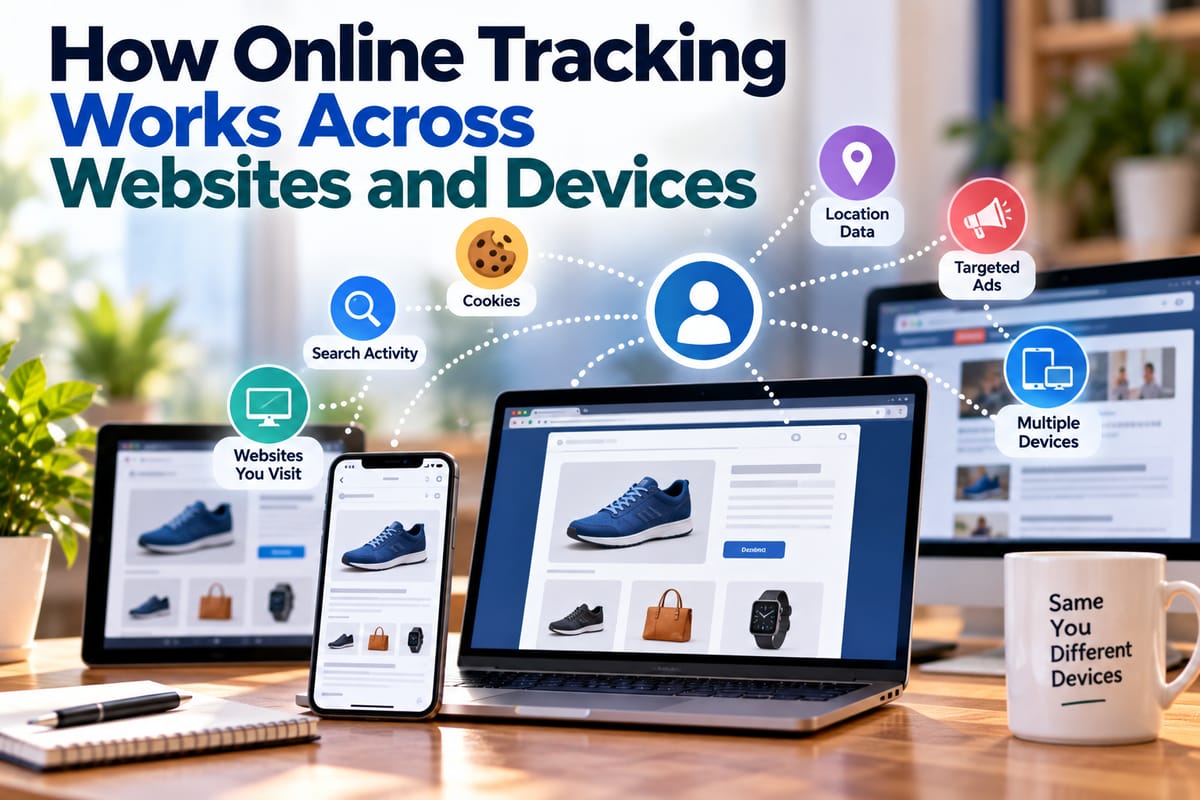
How Online Tracking Works Across Websites and Devices
When you visit a website, search for a product, watch a video, or move between devices, information about your activity may be collected and used in different ways. Online tracking is one of the technologies that makes this possible.
Tracking can help websites remember preferences, keep users signed in, measure traffic, personalize content, deliver advertising, and understand how people interact with digital services. At the same time, extensive tracking can raise important questions about privacy, data collection, and how information moves between companies and devices.
Understanding how online tracking works can make it easier to recognize what information is being collected and make more informed decisions about privacy settings.
What Is Online Tracking?
Online tracking refers to technologies and techniques used to observe, record, associate, or analyze activity across websites, applications, devices, or online services.
Tracking can involve relatively simple information, such as whether a person has visited a website before, or more detailed records involving interactions across multiple services.
Depending on the technology involved, tracking may collect information about:
- Pages visited
- Links clicked
- Searches performed
- Products viewed
- Purchases made
- Approximate location
- Device type
- Browser type
- Operating system
- IP address
- Login activity
- Advertising interactions
- Application usage
Not every form of tracking identifies an individual directly. Some systems use identifiers that distinguish one browser or device from another without immediately knowing the person's real-world identity.
However, different pieces of information can sometimes be combined to create a more detailed picture of activity.
Why Websites Track Visitors
Tracking is not always performed for advertising.
Websites and applications use tracking for many legitimate operational purposes.
For example, a website may need to remember that a visitor has:
- Added an item to a shopping cart
- Selected a language
- Signed into an account
- Accepted a preference
- Started filling out a form
- Chosen a particular display setting
Organizations may also use analytics to understand which pages receive traffic, where users encounter problems, and how visitors navigate through a website.
Other forms of tracking can support advertising, personalization, fraud prevention, security, and performance measurement.
The important issue is often not simply whether tracking exists, but what information is collected, why it is collected, how long it is retained, and who can access it.
How Cookies Support Online Tracking
Cookies are among the best-known tracking technologies.
A cookie is a small piece of information that a website can store in a user's browser.
Some cookies are necessary for basic website functionality. Others can be used to remember preferences, measure activity, or support advertising.
For example, a website might use a cookie to remember that a user has already logged in.
A tracking-related cookie may instead contain an identifier that allows a website or associated service to recognize the same browser when it returns.
Cookies can therefore help create continuity between separate visits.
First-Party and Third-Party Tracking
One useful distinction is between first-party and third-party tracking.
First-Party Tracking
First-party tracking is generally performed by the website or service the user is directly visiting.
For example, an online store may collect information about pages viewed, products added to a cart, or purchases made on its own website.
This information can help the site operate and understand how customers use its services.
Third-Party Tracking
Third-party tracking involves a separate organization or service that has technology embedded in a website or application.
For example, a website may contain code from an analytics, advertising, social media, or other technology provider.
When that technology runs, the third party may receive information associated with the user's visit, depending on the implementation and applicable settings.
Third-party tracking has received significant privacy attention because the same provider may have technology present across many different websites.
Tracking Pixels and Web Beacons
Tracking does not always require a traditional cookie.
A tracking pixel, sometimes called a web beacon, can be a small resource embedded in a webpage or email.
When the resource is loaded, information about the request can potentially be recorded.
Depending on the system, this can help determine:
- Whether an email was opened
- Whether a webpage was viewed
- Which content was accessed
- When an interaction occurred
- Which browser or device made the request
Tracking pixels are commonly associated with analytics and marketing systems.
Browser Fingerprinting
Browser fingerprinting takes a different approach.
Instead of relying primarily on a stored identifier, fingerprinting can examine characteristics of a browser and device to create a combination of signals.
Potential signals can include:
- Browser characteristics
- Operating system
- Screen dimensions
- Language settings
- Time zone
- Installed or available features
- Graphics capabilities
- Other technical characteristics
Individually, many of these details may not be particularly distinctive. Combined, however, they can sometimes help distinguish one browser environment from another.
Fingerprinting can therefore make tracking more difficult to understand because there may be no obvious cookie for the user to delete.
IP Addresses and Network Information
An IP address is another piece of information that can be recorded when a device communicates with an online service.
IP addresses can provide information about the network connection being used and may sometimes provide an approximate indication of geographic location.
An IP address does not necessarily reveal a person's precise physical location or identity by itself.
However, when combined with account information, cookies, device identifiers, or other records, network information can contribute to a broader profile of online activity.
How Login-Based Tracking Connects Activity
Logging into an online account can make tracking more directly associated with a particular account.
For example, a person might use the same account to access a website on:
- A smartphone
- A laptop
- A tablet
- A smart TV
The service may be able to associate activity from these devices with the same account.
This is one of the most important differences between simply tracking a browser and tracking activity associated with an authenticated user.
A person's personal data and how it is collected and used can therefore depend on much more than the information they consciously enter into a form.
How Tracking Can Work Across Devices
Cross-device tracking attempts to associate activity from multiple devices with the same person or household.
There are several ways this can happen.
Account-Based Matching
The simplest example is a shared account.
If a user logs into the same service on a phone and computer, the service can associate activity with the account.
Device Identifiers
Some platforms use identifiers associated with devices or applications.
These identifiers can help distinguish one device from another and support continuity within a particular service.
Probabilistic Matching
Some systems attempt to infer that multiple devices belong to the same person based on patterns.
Potential signals could include:
- Similar usage times
- Similar network connections
- Similar browsing behavior
- Common locations
- Similar device characteristics
Such matching involves inference rather than certainty.
Household-Level Associations
In some circumstances, several devices may appear to belong to the same household because they regularly use the same network or exhibit related patterns.
This does not necessarily prove that one individual uses all of them.
How Advertising Tracking Works
Advertising is one of the most visible uses of online tracking.
An advertising system may collect information about interactions with websites or advertisements and use that information to help determine which advertisements to display.
For example, if someone repeatedly visits pages related to a particular category of products, advertising systems may use available information to make advertisements related to that category more likely to appear.
The process can involve several components, including:
- A user visits a website.
- Tracking or advertising technology records relevant information.
- An identifier may be associated with the browser or account.
- Activity may be analyzed alongside other available signals.
- An advertising system determines which advertisements could be relevant.
- The selected advertisement is displayed.
The exact process varies significantly between companies and platforms.
Retargeting and Why Ads Follow You
A common example of online tracking is retargeting.
A person may visit an online store and look at a particular product without buying it.
Later, the person might see an advertisement for that product or a related category on another website.
This can happen when advertising technology associates the earlier browsing activity with an identifier and recognizes that identifier later.
Retargeting does not necessarily mean that a company knows the person's name. Depending on the system, it may instead be operating with browser, device, account, or advertising identifiers.
However, the experience can still demonstrate how activity on one website can influence what someone sees elsewhere.
How Search Activity Can Be Tracked
Search engines can collect information about searches and interactions with their services.
Depending on the service and whether a user is signed in, search activity may be associated with:
- An account
- A device
- A browser
- An IP address
- Search history
- Other service interactions
Search data can be particularly revealing because the queries people enter may reflect their interests, concerns, plans, or questions.
For this reason, search history can be an important component of a person's broader digital privacy profile.
How Mobile Apps Add Another Layer
Online tracking is not limited to websites.
Mobile applications can collect information through their own systems and through integrated third-party technologies.
Depending on the application and permissions involved, information can include:
- Device characteristics
- Application activity
- Approximate location
- Advertising identifiers
- Network information
- Account information
- Interactions with the application
Some apps also integrate analytics, advertising, authentication, or social features provided by other companies.
This creates an ecosystem in which information can potentially move through several different services.
Tracking Through Social Media Buttons and Embedded Content
Websites sometimes embed content from other platforms.
Examples include:
- Social media posts
- Video players
- Maps
- Advertising
- Comment systems
- Embedded widgets
- Login services
These integrations can make a webpage more functional, but they can also create opportunities for information to be exchanged with the provider of the embedded service.
A visitor may not have intentionally interacted with the embedded content, yet the technology can still load as part of the webpage.
How Tracking Data Can Be Combined
The privacy implications of tracking become more significant when different data points are combined.
For example, an organization might have access to information about:
- Websites visited
- Products viewed
- Approximate location
- Device type
- Account activity
- Advertising interactions
Each piece of information may appear relatively limited on its own.
Combined over time, however, such information can provide a more detailed picture of interests and behavior.
This is one reason understanding what digital privacy means and why it matters is important in an increasingly connected online environment.
Personalization and Tracking Are Closely Connected
Many digital services use information about previous activity to personalize experiences.
Personalization can include:
- Recommended videos
- Suggested products
- Customized search results
- Personalized news feeds
- Content recommendations
- Relevant advertisements
- Remembered preferences
Personalization can make digital services more convenient.
However, it can also mean that the service is using information about previous behavior to determine what the user sees next.
This creates an important privacy trade-off between convenience and data collection.
How Tracking Differs From Data Privacy
Tracking and data privacy are related but not identical concepts.
Tracking describes the collection or association of information about activity.
Data privacy concerns broader questions about how personal information is collected, used, shared, stored, protected, and governed.
A useful introduction to what data privacy means and why it matters helps explain why simply asking whether a website tracks users does not tell the whole story.
Users may also want to know:
- What information is collected?
- Why is it collected?
- Who receives it?
- How long is it retained?
- Can it be deleted?
- Can users opt out?
- How is it protected?
Ways People Can Reduce Online Tracking
No single setting eliminates every form of tracking, but users can take practical steps to reduce unnecessary data collection.
These may include:
- Reviewing browser privacy settings
- Blocking or limiting third-party cookies where appropriate
- Clearing stored website data
- Reviewing app permissions
- Limiting unnecessary location access
- Using privacy-focused browser features
- Reviewing account privacy settings
- Removing unused browser extensions
- Limiting unnecessary third-party integrations
- Signing out of accounts when appropriate
- Keeping browsers and devices updated
The appropriate approach depends on how much convenience a person is willing to exchange for additional privacy.
A broader online privacy guide can help users think about these choices as part of a wider privacy strategy.
Why Private Browsing Does Not Make Someone Invisible
Private or incognito browsing can be useful, but it is frequently misunderstood.
A private browsing window generally limits what the browser stores locally after the session.
It does not automatically prevent websites, online services, network operators, employers, or other parties from observing activity that is visible through their systems.
Private browsing is therefore better understood as a local privacy feature rather than a complete anonymity solution.
Managing Tracking on Multiple Devices
Because tracking can extend across devices, privacy settings should not be considered only on one computer.
Review settings on:
- Smartphones
- Tablets
- Laptops
- Desktop computers
- Smart TVs
- Gaming consoles
- Connected applications
Pay particular attention to accounts that synchronize activity across multiple devices.
If the same account is used everywhere, account-level privacy settings may have a greater effect than changing a setting on just one device.
Why Online Tracking Is Difficult to Understand
The complexity of modern digital services makes tracking difficult for ordinary users to see.
A single webpage can involve numerous technical components, including:
- The website itself
- Analytics services
- Advertising networks
- Content delivery systems
- Embedded media
- Authentication providers
- Social platforms
- Payment services
Information may pass through several systems during a single visit.
This does not mean that every component is collecting sensitive personal information. It does mean that the privacy picture can be more complicated than the webpage visible on the screen suggests.
A More Informed Approach to Digital Privacy
Online tracking is a fundamental part of the modern web, supporting everything from basic website functionality to analytics, personalization, advertising, and account management.
The important distinction is that tracking is not one single technology. Cookies, pixels, browser characteristics, IP addresses, account identifiers, mobile applications, and cross-device systems can all contribute to how online activity is observed and associated.
For users, understanding these mechanisms makes privacy choices easier to evaluate.
Rather than assuming that all tracking is either harmless or inherently harmful, it is more useful to ask what information is being collected, why it is needed, how it is associated with a person or device, and what control users have over its use.
Taking Control of Your Digital Footprint
Reducing online tracking is ultimately about making informed choices.
Reviewing privacy settings, limiting unnecessary permissions, understanding account-based tracking, managing browser data, and paying attention to which services are connected can all help people make more deliberate decisions about their digital footprint.
As websites and devices become increasingly interconnected, understanding how tracking works across them provides a practical foundation for protecting personal information while still using the digital services that make everyday life more convenient.