How Wi-Fi and Bluetooth Work on Smartphones
Smartphones have become powerful communication hubs, connecting to the internet, wireless headphones, smartwatches, cars, speakers, computers, and countless other devices. Much of this connectivity happens through two technologies that have become almost invisible in everyday use: Wi-Fi and Bluetooth.
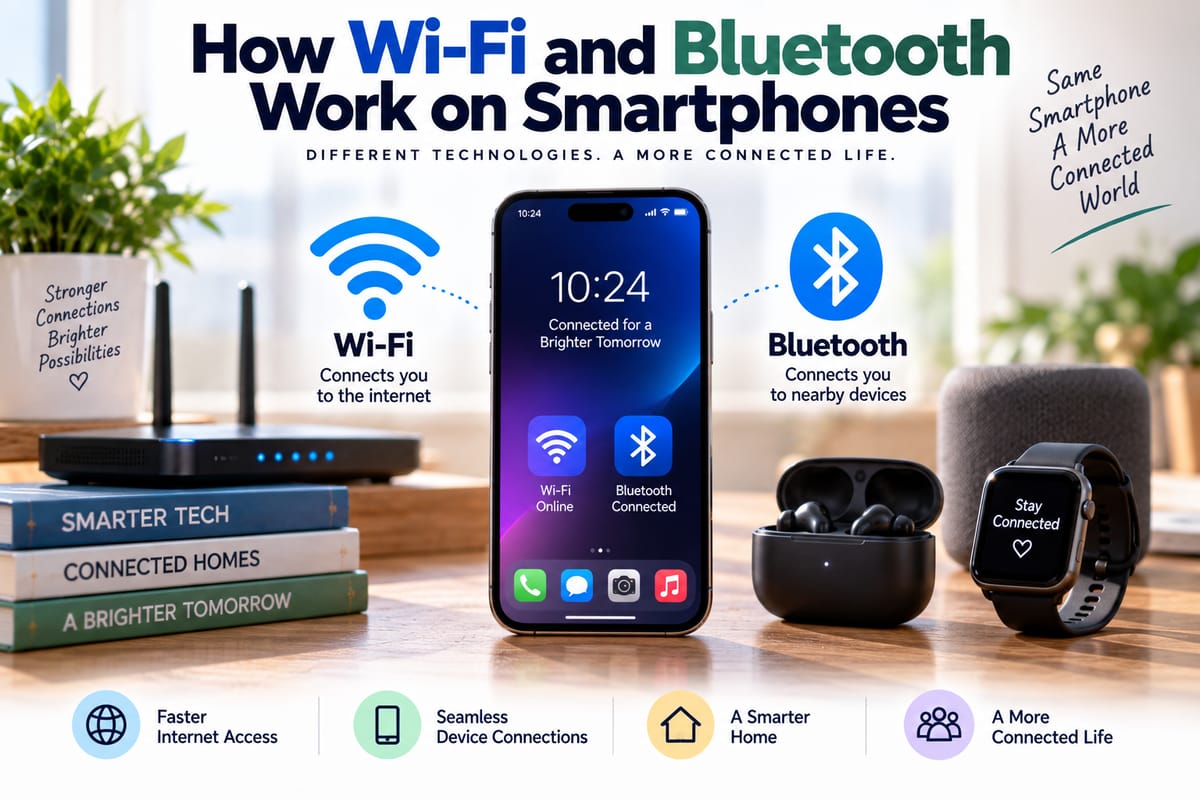
Both technologies use radio waves to transmit information without physical cables, but they are designed for different purposes. Wi-Fi is primarily used for connecting devices to networks and accessing the internet, while Bluetooth is designed for short-range communication between nearby devices.
Understanding how Wi-Fi and Bluetooth work can make it easier to appreciate how a smartphone manages multiple wireless connections while keeping everything running smoothly.
What Is Wireless Connectivity?
Wireless connectivity allows electronic devices to exchange information without requiring a physical cable.
Smartphones can use several different wireless technologies, including:
- Wi-Fi
- Bluetooth
- Cellular networks
- NFC
- GPS and other satellite positioning systems
Each technology operates differently and is designed for particular tasks.
The broader principles behind these technologies are explored in the Complete Guide to Wireless Connectivity, which explains how different wireless systems allow devices to communicate.
Wi-Fi and Bluetooth are particularly important because they handle many of the connections people use inside homes, offices, vehicles, and public spaces.
How Wi-Fi Works on a Smartphone
Wi-Fi allows a smartphone to communicate with a wireless network.
In a typical home, a router connects to an internet service and creates a wireless network. The smartphone detects that network and establishes a connection using compatible Wi-Fi standards.
Once connected, the phone can exchange data with the router. The router then communicates with other parts of the network or with the wider internet.
When someone opens a website or streams a video, information travels between the smartphone and the destination server through this network connection.
Wi-Fi Uses Radio Waves
Wi-Fi communicates using radio-frequency signals.
The smartphone contains antennas and wireless components that transmit and receive these signals. The router has its own wireless hardware that performs the same basic function.
Digital information is converted into signals that can travel through the air. The receiving device interprets those signals and reconstructs the information.
This happens extremely quickly, allowing smartphones to exchange large amounts of data without a physical connection.
Wi-Fi Standards Continue to Evolve
Wi-Fi is not a single technology with one fixed specification.
Different generations of Wi-Fi have introduced improvements in speed, efficiency, capacity, latency, and the ability to handle many connected devices.
A smartphone needs compatible hardware and software to take advantage of newer Wi-Fi capabilities.
The router or access point also needs to support the relevant standard.
This means that the actual Wi-Fi experience depends on more than the phone itself.
What Determines Smartphone Wi-Fi Performance?
Several factors influence how well Wi-Fi works on a smartphone.
These include:
- Wi-Fi generation supported by the phone
- Router capabilities
- Distance from the router
- Physical obstacles
- Radio interference
- Network congestion
- Internet connection speed
- Number of connected devices
- Smartphone antenna design
A phone may technically support very high Wi-Fi speeds, but the actual connection can be much slower if the router is far away or the internet connection itself is limited.
Why Wi-Fi Signals Become Weaker
Radio signals lose strength as they travel.
Walls, floors, furniture, appliances, and other physical objects can interfere with wireless signals. The effect depends on the materials involved and the frequency being used.
Distance also matters. A smartphone located close to a router will generally have an easier time maintaining a strong connection than one located much farther away.
Other nearby wireless devices can also contribute to interference or congestion.
Wi-Fi and the Smartphone's Processor Work Together
Wireless connectivity does not operate independently from the rest of the smartphone.
The phone's processor helps manage applications and many of the software tasks involved in handling network data. Other dedicated components, including wireless communication hardware, work alongside the processor.
The relationship between hardware and overall device responsiveness is discussed in How Smartphone Processors Affect Performance.
A fast processor alone does not guarantee excellent connectivity, but the different components need to work together efficiently for the phone to provide a smooth experience.
What Is Bluetooth?
Bluetooth is another wireless technology found in smartphones.
Unlike Wi-Fi, Bluetooth is primarily designed for relatively short-range communication between nearby devices.
Common Bluetooth connections include:
- Wireless earbuds
- Headphones
- Speakers
- Smartwatches
- Fitness trackers
- Keyboards
- Game controllers
- Vehicle systems
Bluetooth allows these devices to exchange information without requiring a conventional network connection.
How Bluetooth Connects Devices
Before two Bluetooth devices can communicate, they generally need to establish a relationship with each other.
This can involve a process commonly known as pairing.
When a smartphone searches for nearby Bluetooth devices, compatible devices can identify themselves. The user can then select the desired device and complete the pairing process.
Once connected, the smartphone and accessory can communicate using Bluetooth protocols.
The exact process varies depending on the devices and their features.
Bluetooth Uses Short-Range Radio
Bluetooth also uses radio-frequency communication, but it is optimized for different use cases from Wi-Fi.
Bluetooth is designed for relatively low-power, short-range communication. This makes it particularly suitable for battery-powered accessories such as earbuds, watches, sensors, and keyboards.
The lower power requirements can help small devices operate for long periods without requiring large batteries.
Why Bluetooth Is Useful for Accessories
Many accessories do not need the high data throughput associated with Wi-Fi.
Wireless earbuds, for example, need to receive audio data reliably but do not need the same type of network connection required to stream a high-resolution video from the internet.
Bluetooth can provide a practical balance between wireless connectivity, power consumption, range, and data transfer requirements.
This is one reason it has become common in small consumer electronics.
Bluetooth and Audio Devices
Bluetooth is widely used for wireless audio.
When a smartphone plays music through wireless headphones, the phone sends digital audio information to the headphones through the Bluetooth connection.
The headphones receive the information and convert it into an audio signal that can be played through their speakers.
Modern Bluetooth audio technologies can support different audio formats and features, depending on the smartphone and accessory.
Factors such as codec support, signal quality, distance, interference, and device design can influence the resulting audio experience.
Bluetooth Low Energy
Bluetooth technology also includes modes designed for very low power consumption.
Bluetooth Low Energy, often abbreviated as BLE, is particularly useful for devices that need to exchange small amounts of information while operating for long periods on a small battery.
Examples include fitness trackers, sensors, smart locks, and other connected devices.
A sensor may only need to send a small measurement periodically rather than maintaining a high-bandwidth connection continuously.
Wi-Fi and Bluetooth Serve Different Purposes
Although both technologies are wireless, they are not interchangeable.
Wi-Fi is generally better suited to high-bandwidth network communication, while Bluetooth is particularly useful for direct connections between nearby devices.
A smartphone might use Wi-Fi to stream a movie from the internet while simultaneously using Bluetooth to send audio to wireless earbuds.
The two systems can therefore operate alongside each other.
How Smartphones Manage Multiple Wireless Connections
Modern smartphones contain several radios and communication systems.
The operating system coordinates these technologies and determines how applications access them.
For example, a phone might simultaneously:
- Use cellular data for a phone call
- Connect to Wi-Fi for internet access
- Send audio to Bluetooth headphones
- Communicate with a smartwatch through Bluetooth
- Use GPS signals for location services
These connections can operate together because the smartphone's hardware and software are designed to manage multiple communication systems.
Antennas Are Essential
Wireless communication would not work without antennas.
A smartphone contains carefully designed antennas that allow it to transmit and receive different types of radio signals.
The internal design is challenging because modern phones are compact while needing to support many communication technologies.
Manufacturers must consider antenna placement, signal performance, interference, battery constraints, device materials, and the physical size of the phone.
Why Holding a Smartphone Can Affect Connectivity
The human body can influence radio signals.
Because smartphones contain small antennas and are often held in the hand or placed close to the body, the position of the device can sometimes affect signal characteristics.
Phone manufacturers design devices to account for these effects, but physical conditions can still influence wireless performance.
This is one reason connectivity can sometimes change when a phone is moved or repositioned.
Security Protects Wireless Connections
Wireless signals travel through the air, so security is an important part of both Wi-Fi and Bluetooth.
Wi-Fi networks use security protocols designed to protect communications and prevent unauthorized access.
Bluetooth also incorporates security mechanisms for pairing and communication.
Users should avoid connecting to unknown or untrusted networks and should keep smartphone software updated to benefit from security improvements.
Home network security is particularly important because a compromised wireless network can potentially expose multiple connected devices.
Wi-Fi and the Internet of Things
Smartphones increasingly serve as control centers for connected homes and other environments.
A phone might connect to smart lights, cameras, thermostats, speakers, appliances, locks, or sensors.
These devices form part of the broader The Internet of Things Explained, where physical objects use network connections to exchange information and provide digital functions.
Wi-Fi and Bluetooth can both play roles in these systems, depending on the type of device and the task being performed.
Bluetooth Can Help Devices Communicate Without the Internet
One important distinction is that Bluetooth does not necessarily require an internet connection.
A smartphone can connect directly to Bluetooth headphones even when it has no Wi-Fi or cellular internet connection.
Similarly, certain accessories can exchange information locally without communicating with a remote server.
This makes Bluetooth useful for situations where a direct device-to-device connection is all that is required.
Wi-Fi Can Also Support Local Connections
Wi-Fi is not exclusively an internet technology either.
Devices connected to the same local network can communicate with one another without every piece of information needing to travel across the internet.
For example, a smartphone may communicate with a printer, smart television, network storage device, or another computer through a local Wi-Fi network.
The internet is therefore one use of Wi-Fi rather than its only function.
Why Wireless Connectivity Uses Battery Power
Wireless communication requires energy.
The smartphone needs to operate radio hardware, process incoming and outgoing information, maintain connections, and perform other related tasks.
The amount of energy used varies depending on the technology, signal conditions, data activity, and device design.
Poor signal conditions can sometimes increase power consumption because a device may need to work harder to maintain communication.
Modern smartphones use power-management techniques to reduce unnecessary battery usage.
What Happens When You Move Out of Range?
Wireless connections have practical limits.
If a smartphone moves too far from a Wi-Fi router, the signal may become weak enough to cause slower performance or disconnect entirely.
Bluetooth connections can experience similar problems when devices move beyond their effective range or when obstacles and interference affect the signal.
The actual range varies according to the technology, device design, environment, and operating conditions.
Wireless Connectivity Is Becoming More Integrated
The modern smartphone is much more than a phone.
It is a compact computing platform that combines processing, storage, cameras, sensors, cellular communication, Wi-Fi, Bluetooth, positioning technologies, and other systems in a single device.
The broader evolution of connected consumer devices is explored in What Are Consumer Gadgets and How Do Modern Gadgets Work?.
As wireless standards continue to evolve, smartphones are likely to remain central to how people interact with an expanding collection of connected devices.
The Invisible Networks Behind Everyday Smartphone Use
Wi-Fi and Bluetooth have become so familiar that it is easy to overlook the technology operating behind a simple tap on a screen or connection to a pair of headphones.
Wi-Fi gives smartphones access to networks and high-bandwidth services, while Bluetooth provides efficient short-range communication with a wide variety of accessories and nearby devices.
Both rely on radio communication, antennas, specialized hardware, software, security systems, and carefully designed protocols.
Together with cellular networks and other wireless technologies, they allow a smartphone to function as a constantly connected hub for communication, entertainment, productivity, and smart-device control. As more everyday objects become connected, these wireless technologies will remain an important part of how modern gadgets communicate.