Why Human Oversight Matters in Business Automation
Business automation has changed the way organizations handle routine work. Software can now move information between systems, send messages, process transactions, organize records, generate reports, route requests, and trigger actions with little or no direct human involvement.
For businesses, the attraction is obvious. Automation can reduce repetitive work, improve consistency, save time, and allow employees to concentrate on activities that require judgment and creativity.
But automation does not eliminate the need for people.
In fact, as automated systems become more capable, human oversight becomes increasingly important.
An automated workflow can follow its instructions perfectly while still producing the wrong outcome if the underlying rules, data, assumptions, or conditions are incorrect. A system may also encounter situations that were never anticipated when the automation was designed.
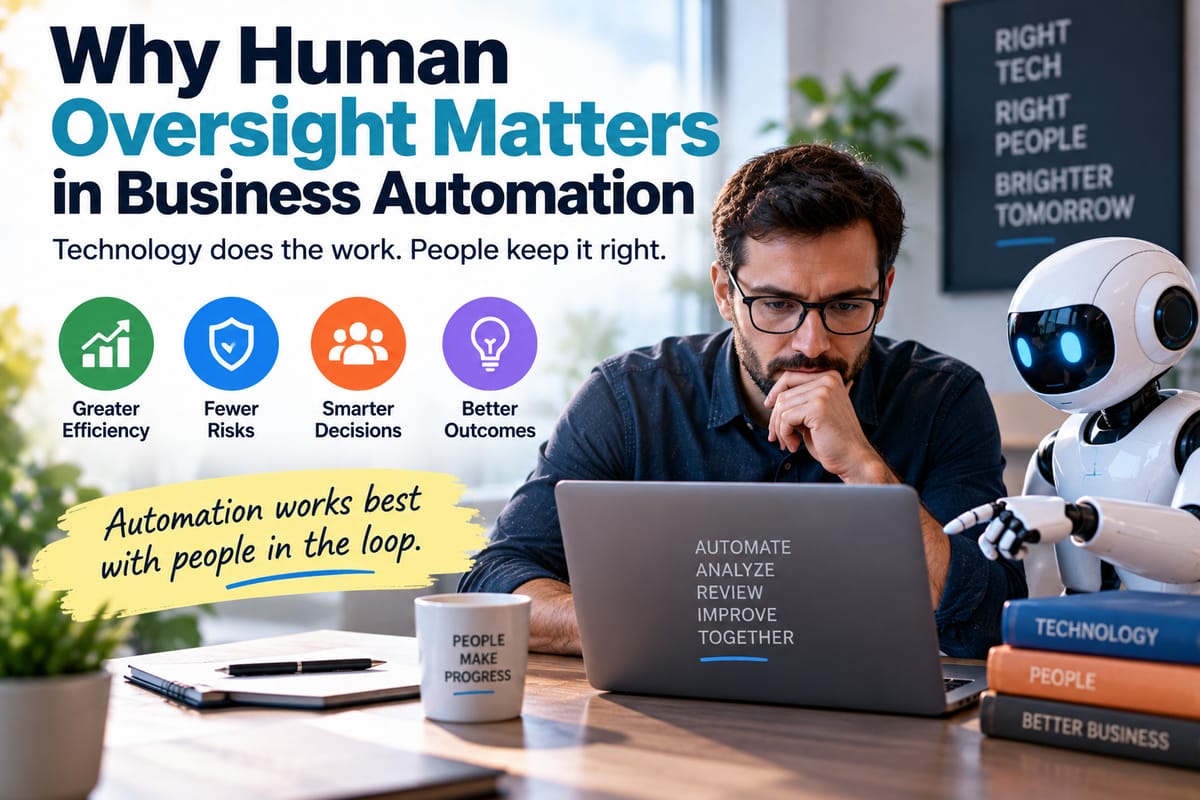
Human oversight provides the judgment, accountability, context, and flexibility that automated processes cannot always provide on their own.
What Is Business Automation?
Business automation involves using software and technology to perform tasks, processes, or decisions that might otherwise require manual work.
Automation can be used across almost every department, including:
- Finance
- Sales
- Marketing
- Human resources
- Customer service
- Operations
- Procurement
- IT
- Administration
- Supply chain management
Examples include automatically sending an invoice after an order is completed, assigning a customer inquiry to the appropriate employee, updating a database when a form is submitted, or generating a regular business report.
For a broader introduction to the subject, the Business Automation Guide explains how organizations can identify and automate repetitive processes.
Why Businesses Automate Processes
The primary objective of automation is usually not to replace people. It is to make business processes more efficient.
Automation can help organizations:
- Reduce repetitive manual work
- Process information more quickly
- Minimize certain types of human error
- Standardize routine procedures
- Improve response times
- Reduce administrative costs
- Handle larger workloads
- Create more consistent processes
- Give employees more time for higher-value work
When implemented properly, automation can become an important part of a company's operating infrastructure.
However, efficiency alone does not guarantee that an automated process is correct.
That is where human oversight becomes essential.
What Does Human Oversight Mean?
Human oversight means that people remain responsible for monitoring, reviewing, controlling, and improving automated systems.
The amount of oversight required depends on the task.
A low-risk automation, such as organizing internal notifications, may require relatively little intervention.
A high-impact process involving financial transactions, employment decisions, sensitive customer information, compliance, or safety may require substantially more human involvement.
Human oversight can include:
- Reviewing automated outputs
- Approving important decisions
- Monitoring system performance
- Checking exceptions
- Updating rules
- Investigating unusual results
- Correcting errors
- Reviewing access permissions
- Testing workflows
- Maintaining documentation
The objective is not necessarily to manually approve every automated action.
Instead, it is to ensure that automation operates within appropriate boundaries and that people can intervene when something goes wrong.
Automation Only Does What It Is Designed to Do
One of the most important principles of business automation is also one of the simplest:
Automation follows its instructions.
If a workflow is based on a rule that says, "When X happens, do Y," the software will generally attempt to perform Y whenever X occurs.
That can be extremely useful for predictable processes.
But real businesses rarely operate in perfectly predictable environments.
Customers change their behavior. Employees make unusual requests. Regulations change. Data becomes incomplete. Software systems experience outages. Suppliers miss deadlines. Products become unavailable.
An automated workflow may not understand the significance of these changes unless someone has designed it to account for them.
The technical foundations of this process are explored in How Automation Software Uses Rules and Workflows to Perform Repetitive Tasks.
Why Automated Systems Can Make Mistakes
Automation can reduce certain human errors, but it can also introduce a different category of errors.
For example, imagine a company creates a workflow that automatically approves customer refunds below a particular amount.
If the rule is configured incorrectly, thousands of refunds could potentially be processed without the intended checks.
The problem would not necessarily be that the automation failed.
It might have performed exactly as programmed.
The underlying rule was the problem.
Other causes of automated errors can include:
- Incorrect data
- Outdated information
- Poorly designed rules
- Integration failures
- Duplicate records
- Missing information
- Software bugs
- Unexpected user behavior
- Configuration mistakes
- Changes in business policies
Human oversight provides an opportunity to identify these problems before they become widespread.
Data Quality Makes Human Oversight Necessary
Automated systems depend heavily on data.
If the information entering a workflow is incomplete or inaccurate, the resulting action may also be inappropriate.
Consider an automated sales system that assigns leads to representatives based on geographic location.
If a customer's address is incorrect, the system may assign the lead to the wrong person.
The automation itself may function perfectly.
The input was simply wrong.
This illustrates an important principle:
Good automation cannot compensate indefinitely for poor-quality data.
People need to monitor data quality, investigate unusual patterns, and maintain the systems that supply information to automated workflows.
Human Judgment Handles Exceptions
Automated systems work particularly well when situations are predictable.
They become more challenging when an unusual situation falls outside the expected workflow.
Suppose an automated purchasing system normally approves orders when inventory falls below a predefined threshold.
Under ordinary conditions, this might work extremely well.
But what happens when:
- A supplier announces a major shortage?
- A product is being discontinued?
- Prices suddenly increase?
- A recall is issued?
- Demand changes dramatically?
- A substitute product becomes available?
The original rule may no longer be appropriate.
Human employees can recognize the broader context and decide whether the automated process should continue.
Human Oversight Protects Against Automation Bias
People can sometimes assume that a computer-generated result must be correct simply because it came from a system.
This tendency is sometimes described as automation bias.
For example, an employee may accept an automatically generated recommendation without checking the underlying information.
Ironically, introducing automation can therefore create a new risk: people may stop questioning the output.
Effective oversight requires employees to understand that automated recommendations are inputs into decision-making, not necessarily unquestionable answers.
Automation Should Have Clear Boundaries
A well-designed automated system should have clearly defined boundaries.
Employees should know:
- What the system is allowed to do
- What it is not allowed to do
- When human approval is required
- Which situations trigger an exception
- Who receives alerts
- Who can stop the workflow
- Who is responsible for investigating failures
Without these boundaries, automation can become difficult to control.
A business may gradually accumulate dozens or hundreds of automated processes without anyone having a complete understanding of how they interact.
That creates unnecessary operational risk.
Human Oversight Creates Accountability
When a business process is automated, it can become tempting to blame the software when something goes wrong.
But software cannot accept responsibility.
People and organizations remain accountable for how technology is designed and used.
Human oversight helps establish clear responsibility for:
- System design
- Data management
- Business rules
- Approval processes
- Security
- Compliance
- Monitoring
- Error correction
- System updates
Someone should always be able to answer the question:
Who is responsible for this automated process?
If the answer is unclear, the organization may have an automation governance problem.
Not Every Decision Should Be Automated
One of the biggest mistakes businesses can make is assuming that every repetitive decision should eventually become fully automated.
Some decisions are repetitive but still require context.
Others may affect people in ways that demand careful consideration.
Human involvement can be particularly important when decisions involve:
- Large financial consequences
- Employment
- Customer disputes
- Sensitive personal information
- Legal or regulatory issues
- Safety
- Security
- Exceptional circumstances
- Significant reputational risks
Automation can support these processes without necessarily making the final decision.
The Human-in-the-Loop Approach
A common approach to responsible automation is known as human-in-the-loop.
In this model, software performs part of the process while a person remains involved at an important stage.
For example:
Data received → Automated analysis → Human review → Approval → Automated action
This approach can provide many of the efficiency benefits of automation while retaining human judgment where it matters most.
The exact balance depends on the risk associated with the process.
Human-on-the-Loop Automation
Another model involves continuous human monitoring rather than approval of every individual action.
The system operates independently under normal conditions, while employees monitor performance and intervene when necessary.
For example:
Automated process → Continuous monitoring → Exception detected → Human intervention
This approach can work well for high-volume processes where manually reviewing every transaction would defeat the purpose of automation.
The key is ensuring that monitoring systems can identify meaningful exceptions.
Human Oversight Should Be Risk-Based
Not every automated process deserves the same level of supervision.
A useful approach is to classify automation according to risk.
Low-Risk Automation
Examples might include:
- Sorting internal emails
- Creating routine reminders
- Moving files
- Formatting reports
- Sending standard notifications
These processes may require periodic monitoring rather than constant approval.
Medium-Risk Automation
Examples might include:
- Customer communications
- Inventory decisions
- Sales assignments
- Expense processing
- Scheduling
These may benefit from exception monitoring and regular reviews.
High-Risk Automation
Examples could include processes involving:
- Large financial transactions
- Sensitive personal information
- Employment decisions
- Security controls
- Regulatory compliance
- Safety-related actions
These generally require stronger controls and more direct human involvement.
Monitoring Is Part of Automation
Businesses sometimes think about automation as something they build once and then leave alone.
That approach is risky.
Automated systems require ongoing monitoring because the environment around them changes.
A workflow that worked perfectly six months ago may become inappropriate after:
- A software update
- A policy change
- A new product launch
- A pricing change
- A regulatory change
- A database migration
- A new integration
- A change in customer behavior
Automation should therefore be treated as an ongoing business system rather than a one-time project.
Businesses Need Good Documentation
Documentation becomes increasingly important as organizations adopt more automation.
For each significant workflow, businesses should ideally understand:
- Its purpose
- Its inputs
- Its outputs
- Its rules
- Its integrations
- Its owner
- Its dependencies
- Its failure conditions
- Its approval requirements
- Its monitoring process
- Its update history
Without documentation, employees may struggle to understand why a system behaves a certain way.
This can make troubleshooting considerably harder.
Human Oversight and Business Software
Automation rarely exists as a completely separate technology.
It is usually connected to broader business software such as customer relationship management platforms, accounting systems, enterprise resource planning software, communication tools, databases, and project-management platforms.
Understanding the broader technology environment is therefore important.
The Complete Guide to Business Software provides a wider look at the software systems organizations use to manage different areas of business operations.
Choosing Automation Carefully
Human oversight should begin before an automation is deployed.
Businesses should first determine whether a process is actually suitable for automation.
Useful questions include:
- Is the process predictable?
- Are the rules clearly defined?
- Is the data reliable?
- What happens when an exception occurs?
- What is the cost of an error?
- Does the process affect customers or employees?
- Does someone need to approve certain actions?
- Can the automation be stopped quickly?
- Can its decisions be audited?
- Who will maintain it?
These questions help organizations avoid automating processes simply because automation is technically possible.
Technology Procurement Also Matters
The software chosen to automate a process can influence how much oversight is possible.
Businesses should evaluate whether technology provides features such as:
- Audit logs
- User permissions
- Approval workflows
- Exception alerts
- Version controls
- Activity histories
- Reporting
- Data validation
- Rollback capabilities
- Administrative controls
Technology purchasing should therefore consider governance and control alongside price and functionality.
Businesses evaluating new technology can learn more from How Businesses Evaluate and Purchase Technology Solutions for Organizational Needs.
Security Requires Human Oversight
Automation can introduce security risks if automated accounts, integrations, or workflows are poorly managed.
For example, an automation may have permission to access customer records or transfer information between systems.
If those permissions are broader than necessary, a compromised account or poorly configured workflow could expose sensitive information.
Human oversight can help organizations:
- Review permissions
- Remove unnecessary access
- Monitor unusual activity
- Update credentials
- Check integrations
- Investigate security alerts
- Review system logs
Automation should make secure processes easier, not create invisible pathways that nobody monitors.
Human Oversight Can Improve Customer Experience
Automation is often introduced to improve customer service.
Automated responses can acknowledge inquiries immediately. Systems can route support requests, provide order updates, schedule appointments, and perform other routine tasks.
But customers do not always have routine problems.
When an issue becomes complicated or emotionally sensitive, a human employee may be better equipped to understand the situation.
The best customer-service systems can therefore combine automation with easy access to human assistance.
The objective should not be to prevent customers from reaching people.
It should be to let automation handle routine work while people focus on situations that require empathy and judgment.
Employees Need Training
Human oversight is only effective when employees understand the systems they are supervising.
Training should cover:
- What the automation does
- What its limitations are
- How to identify unusual results
- When to intervene
- How to report problems
- How to stop a workflow
- How to handle exceptions
- How to protect sensitive information
Employees should also understand that automation is a tool rather than an authority.
A person responsible for overseeing an automated system needs enough knowledge to question its output when something does not look right.
Automation Should Make Human Work Better
The strongest business automation strategies do not treat people and software as competing forces.
Instead, they assign different responsibilities to each.
Software is particularly good at:
- Repetition
- Speed
- Consistency
- Large-scale processing
- Rule-based tasks
- Data movement
People are particularly valuable for:
- Judgment
- Context
- Creativity
- Empathy
- Negotiation
- Problem-solving
- Ethical considerations
- Handling unusual circumstances
Combining these strengths can create more resilient business processes than relying exclusively on either humans or automation.
Signs That an Automated Process Needs More Oversight
Businesses should reconsider their oversight arrangements when they notice:
- Frequent unexplained errors
- Increasing customer complaints
- Employees bypassing the workflow
- Incorrect data appearing repeatedly
- Automated actions that require frequent manual correction
- No clear system owner
- Outdated rules
- Unexpected financial results
- Difficulty explaining why a decision occurred
- Employees becoming overly dependent on automated recommendations
These signs do not necessarily mean the automation should be removed.
They may indicate that the system needs better design, monitoring, documentation, or human controls.
A Practical Framework for Responsible Automation
Businesses can use a simple framework when introducing or reviewing automated processes.
1. Define the Objective
Determine exactly what the automation is supposed to accomplish.
2. Identify the Risks
Consider what could go wrong and how serious the consequences would be.
3. Establish Boundaries
Define which actions the system can perform independently and which require human approval.
4. Assign Ownership
Give a specific person or team responsibility for the process.
5. Build Exception Handling
Create clear paths for unusual situations.
6. Monitor Performance
Track errors, delays, unusual activity, and other meaningful indicators.
7. Review Regularly
Reassess the workflow whenever the business, technology, data, or regulations change.
8. Keep Humans Accessible
Ensure employees can intervene when the automated process produces an inappropriate result.
The Future of Business Automation
Automation is likely to become more capable as artificial intelligence, software integrations, cloud platforms, and data systems continue developing.
Future systems may be able to interpret more complex information, make recommendations, interact with multiple applications, and complete increasingly sophisticated workflows.
That makes human oversight more important rather than less important.
The more authority a system receives, the more important it becomes to understand what it is doing, why it is doing it, and when a person should be able to intervene.
The future of business automation is therefore unlikely to be completely human-free.
Instead, successful organizations will increasingly focus on creating systems where technology handles predictable work while people retain meaningful control over important decisions.
Keeping People in Control
Business automation can deliver enormous benefits, but efficiency should never become the only measure of success.
An automated process that saves hours while quietly producing incorrect decisions is not truly efficient. It is simply moving the cost of the problem somewhere else.
Human oversight provides a critical layer of protection. It allows organizations to recognize exceptions, question unexpected results, maintain accountability, protect customers and employees, and adapt automated processes as circumstances change.
The goal is not to make automation less powerful.
It is to make automation more reliable, transparent, responsible, and useful.
When businesses combine the speed and consistency of software with the judgment and accountability of people, automation becomes more than a way to eliminate repetitive tasks. It becomes a tool for building stronger and more adaptable organizations.