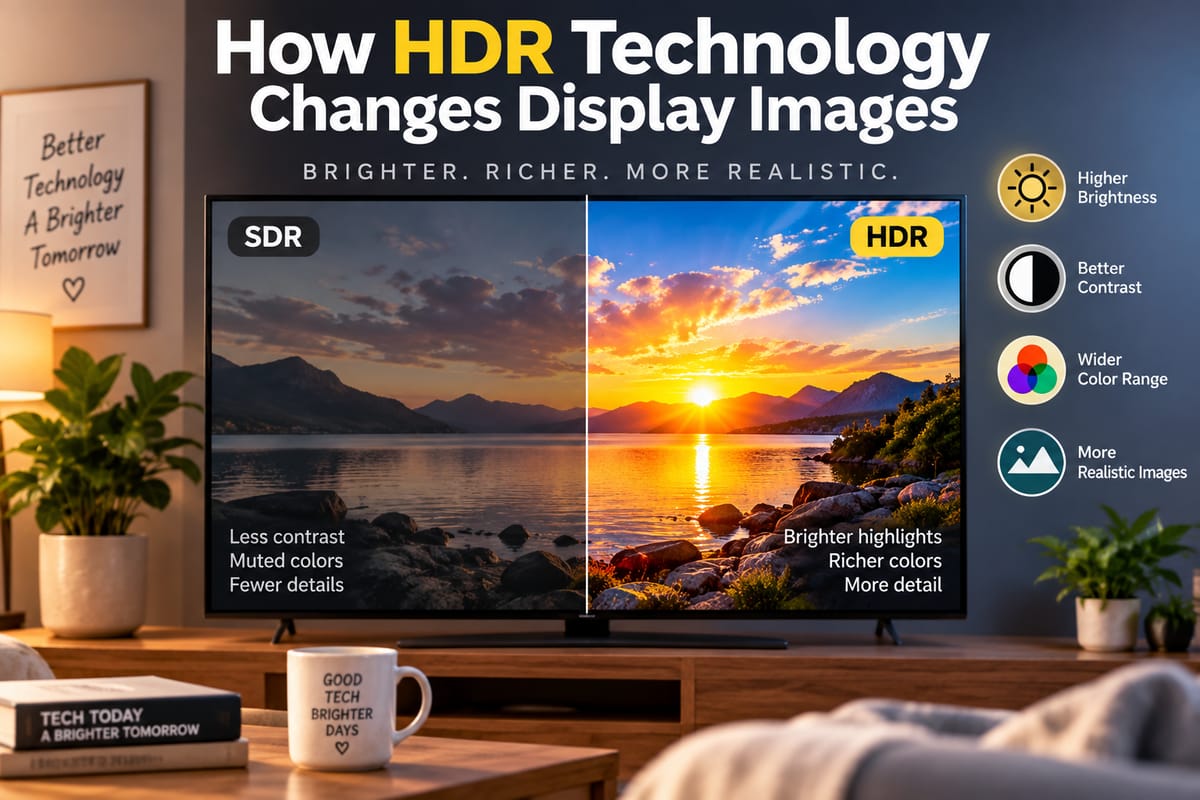
How HDR Technology Changes Display Images
High Dynamic Range, commonly known as HDR, has become an important feature across modern televisions, smartphones, tablets, monitors, cameras, and streaming platforms. It is designed to make images look more realistic by expanding the range of brightness, contrast, and color that a display can reproduce.
A standard display can show a useful range of light and dark tones, but HDR is designed to preserve more detail across those extremes. Bright sunlight can appear more intense without necessarily washing out surrounding details, while shadows can remain darker without turning into a featureless black area.
The result can be a picture that looks more lifelike, particularly when the content has been created and mastered for HDR.
What Is HDR Technology?
HDR stands for High Dynamic Range. In display technology, it refers to techniques and standards that allow compatible content and screens to represent a wider range of brightness and color than traditional Standard Dynamic Range, or SDR.
Dynamic range describes the difference between the darkest and brightest parts of an image.
With SDR content, displays work within a relatively limited brightness and color range. HDR content can contain information for much brighter highlights and more detailed darker areas.
This does not simply mean making an image brighter. Instead, HDR attempts to give the display more information about how different parts of a scene should appear.
For consumers comparing televisions, phones, tablets, and other devices, understanding HDR is one part of understanding the broader world of modern electronics. The guide to consumer gadgets and how modern gadgets work provides additional context on how displays fit into today's connected devices.
How HDR Changes the Appearance of Images
The most noticeable difference HDR can make is in the way an image handles bright and dark areas.
Imagine a nighttime city scene with bright streetlights, illuminated buildings, dark roads, and shadows between structures. An SDR image may have to compress these different brightness levels into a narrower range.
HDR gives compatible content and displays more room to represent those differences.
Bright lights can appear more intense, while darker areas can retain more visible detail. This can create a greater sense of depth and realism.
The same principle applies to daylight scenes. Clouds, reflections, sunlight, and brightly lit surfaces can contain more visual information without forcing the entire image to become excessively bright.
HDR Improves Highlight Detail
One of HDR's key advantages is its ability to represent brighter highlights.
A conventional image may show a bright light source as a relatively uniform white area. HDR content can contain additional brightness information that allows compatible displays to make the highlight appear more intense while retaining distinctions within the surrounding image.
Examples include:
- Sunlight reflecting from water
- Headlights at night
- Fire and flames
- Bright windows
- Metallic surfaces
- Neon signs
- Snow under direct sunlight
The purpose is not to make every part of the screen extremely bright. Instead, HDR allows particularly bright elements to stand out from the rest of the image.
Darker Areas Can Retain More Detail
HDR also affects the darker end of the image.
In a poorly handled dark scene, shadows can become a large black area with little visible texture. HDR-compatible content can preserve more information in those areas when the display has the necessary contrast and black-level performance.
This can make details such as clothing, walls, landscapes, and objects easier to distinguish in low-light scenes.
However, the quality of the result depends heavily on the display itself. HDR content does not automatically guarantee excellent shadow detail.
HDR Expands Color Reproduction
Brightness is only part of the HDR experience.
Many HDR formats are associated with wider color gamuts, which allow compatible displays to reproduce a broader range of colors than traditional SDR systems.
This can produce more nuanced greens, reds, blues, oranges, and other shades.
A sunset, for example, can contain subtle transitions between yellow, orange, red, and purple. A wider color range gives content creators more room to represent those differences.
However, wider color reproduction does not necessarily mean that every HDR image should look dramatically more colorful. Good HDR presentation is about accurately reproducing the intended image rather than simply increasing saturation.
HDR and Contrast Work Together
Contrast is another major part of the HDR experience.
A display with strong contrast can create a clearer separation between bright and dark portions of an image. This can make HDR highlights more impressive and dark scenes more convincing.
Different display technologies approach this challenge in different ways.
For example, OLED displays can control individual pixels and are capable of producing very deep blacks. Mini-LED displays use many small backlights and sophisticated local dimming systems to improve control over different areas of the screen.
The differences between these technologies are explored in OLED versus Mini-LED TVs explained.
HDR Does Not Mean Every Image Will Look Better
It is easy to assume that HDR automatically improves every picture, but the technology has several requirements.
For HDR to work effectively, the content must contain HDR information, the playback device must support the relevant format, and the display must have suitable capabilities.
If a display has limited brightness or poor contrast, it may not be able to reproduce the full potential of HDR content.
Similarly, poorly mastered HDR content may not look as impressive as carefully produced material.
This means the presence of an “HDR” label on a product does not tell the entire story.
Why Display Brightness Matters
Peak brightness can have a significant influence on HDR performance.
HDR content may contain highlights that are considerably brighter than the surrounding image. A display needs enough brightness capability to reproduce those highlights convincingly.
A brighter display can make certain HDR effects more noticeable, particularly in scenes containing strong light sources.
However, maximum brightness alone should not be treated as a complete measure of picture quality. Contrast, black levels, local dimming, color accuracy, viewing conditions, and HDR format support can all influence the final result.
This is why consumers should consider the entire specification sheet rather than focusing on one headline number.
For a broader explanation of how to evaluate technical specifications, see how to understand product features and specifications.
HDR Formats Explained
HDR is not a single universal format.
Several HDR standards and technologies are used across televisions, streaming services, gaming systems, smartphones, and other devices.
Some commonly encountered formats include:
- HDR10 — A widely adopted open HDR standard.
- HDR10+ — Adds dynamic metadata that can adjust HDR information across scenes.
- Dolby Vision — A proprietary HDR format designed to provide sophisticated brightness and color control.
- HLG — A format developed primarily with broadcast and live content in mind.
Different devices and content services can support different combinations of these formats.
As a result, compatibility is worth checking when buying an HDR television, monitor, smartphone, or streaming device.
Static and Dynamic HDR Metadata
One important difference between HDR formats involves metadata.
Metadata provides information that helps a display understand how HDR content should be presented.
Some HDR systems use static metadata, meaning information applies broadly to the entire program or piece of content.
Dynamic metadata can provide scene-by-scene or even frame-level instructions, allowing brightness and tone mapping to be adjusted more precisely.
The exact implementation depends on the HDR standard, content, and display.
What Is Tone Mapping?
A display cannot necessarily reproduce every brightness level contained in HDR content exactly as mastered.
Tone mapping is the process used to adapt the content's brightness range to the capabilities of a particular display.
For example, if HDR content contains extremely bright highlights but the television cannot reach those brightness levels, the television can map the content into its available range.
The quality of this process matters.
Good tone mapping can preserve important details while maintaining the intended appearance of the scene. Poor tone mapping may cause highlights to lose detail or make an image appear excessively dark or bright.
HDR in Televisions
Televisions are among the most visible applications of HDR technology.
Modern 4K televisions frequently support one or more HDR standards, allowing compatible movies, television programs, games, and streaming content to take advantage of expanded brightness and color capabilities.
The experience can be particularly noticeable on large screens because viewers have more visual information to observe.
But two televisions with identical resolution can produce very different HDR images. Resolution tells you how many pixels are present, while HDR performance depends on characteristics such as brightness, contrast, color volume, processing, and backlight or pixel technology.
HDR in Smartphones and Tablets
HDR is not limited to large televisions.
Smartphones and tablets increasingly use HDR displays to improve photographs, videos, games, and streaming content.
Small displays can benefit from improved contrast and brightness because users frequently view them in varied lighting conditions.
Some mobile devices can also capture HDR photographs and videos using computational photography and multiple exposures or other processing techniques.
Tablets and e-readers have different display requirements depending on whether they are designed primarily for video, productivity, reading, or a combination of uses. The guide to how tablets and e-readers work explains how displays interact with processors, batteries, storage, and software in these devices.
HDR and Gaming
HDR has also become an important feature for modern gaming.
Games can contain highly varied lighting environments, from dark caves and nighttime landscapes to bright explosions and outdoor scenes.
HDR can give game developers more room to represent these differences.
When properly implemented, a game may display bright effects without losing surrounding details while maintaining more information in darker areas.
However, gaming HDR depends on the console or computer, game software, display, cables or connection standards, and configuration settings.
Players may therefore need to enable HDR at multiple levels before the feature works as intended.
HDR and Streaming Video
Many streaming platforms offer HDR versions of selected movies and television programs.
The exact HDR experience depends on several factors, including:
- Whether the content is available in HDR
- Which HDR format is being used
- Whether the streaming device supports that format
- Display compatibility
- Internet bandwidth
- Subscription or service limitations
- Playback settings
A television may support HDR while a particular streaming title is available only in SDR. Conversely, HDR content may not display at its full potential if the television or playback device has limited capabilities.
HDR and Cameras
HDR also plays an important role in image capture.
Cameras can encounter scenes where the brightness difference between highlights and shadows exceeds what a sensor can capture in a single exposure.
HDR photography can combine multiple exposures or use computational techniques to preserve information across a wider range.
Modern smartphones often perform this processing automatically.
This is why HDR can influence both sides of the display experience: cameras can capture or process images with expanded dynamic range, while HDR displays can reproduce more of that information.
Why HDR Can Look Different From One Device to Another
The same HDR content can look noticeably different on two displays.
One television might produce brighter highlights, while another may deliver deeper blacks. A smartphone could emphasize brightness for outdoor visibility, while a desktop monitor may prioritize color accuracy.
Differences can result from:
- Peak brightness
- Black levels
- Contrast ratio
- Local dimming
- Pixel technology
- Color gamut
- Color accuracy
- HDR format support
- Tone mapping
- Factory calibration
- Viewing environment
This explains why specifications and real-world display performance both matter when evaluating HDR devices.
Does HDR Increase Resolution?
HDR and resolution are separate technologies.
Resolution describes the number of pixels used to create an image. HDR describes the range of brightness, contrast, and color information that can be represented.
A 4K display has a higher pixel resolution than a 1080p display, but both can potentially support HDR.
Likewise, increasing resolution does not automatically create better HDR performance.
A high-resolution display with weak brightness and contrast may deliver a less impressive HDR experience than a lower-resolution display with stronger HDR capabilities.
HDR Compared With SDR
Standard Dynamic Range remains widely used across digital content.
SDR works within a narrower brightness and color range, while HDR provides additional room for representing bright highlights, dark areas, and colors.
The difference can be subtle in some scenes and dramatic in others.
HDR tends to have the greatest visual impact when a scene contains a broad range of brightness levels, such as a bright sky above a darker landscape or a nighttime scene containing intense artificial lights.
What Consumers Should Look For in an HDR Display
Anyone shopping for a television, monitor, smartphone, or tablet should look beyond the basic claim that a device “supports HDR.”
Important specifications and features can include:
- Peak brightness — Indicates how bright highlights can become.
- Contrast performance — Influences the separation between bright and dark areas.
- Black levels — Important for realistic dark scenes.
- Color gamut — Indicates the range of colors the display can reproduce.
- Color accuracy — Determines how faithfully colors are represented.
- HDR format support — Shows which HDR standards the device can handle.
- Local dimming — Important for many LCD and Mini-LED displays.
- Panel technology — OLED, Mini-LED, LCD, and other technologies have different characteristics.
- Processing quality — Affects tone mapping and overall image presentation.
Looking at these characteristics together provides a much clearer picture than relying on a single HDR label.
The Growing Role of HDR in Everyday Displays
HDR has evolved from a feature associated primarily with premium televisions into a technology found across many consumer electronics products.
As cameras, streaming services, game consoles, smartphones, tablets, and monitors increasingly support HDR workflows, consumers are likely to encounter the technology more frequently.
Its central purpose remains relatively straightforward: give displays more information to work with so images can contain a broader and more realistic range of light, dark tones, and color.
When the content, hardware, and software are all properly matched, HDR can make bright highlights more vivid, shadows more detailed, and colors more nuanced. But the quality of the final image still depends on the capabilities of the entire display system rather than the HDR label alone.